How to Conduct a Sales Demo That Closes (2026 Guide)
Every salesperson who’s run a live demo knows the feeling: the prospect leans in, asks sharp questions, and by the end of the call you’re scheduling the security review. That’s what a great demo does - it converts curiosity into commitment. But most demos never reach that moment. They drown in features, skip past the buyer’s actual problem, and end with a limp “we’ll send over some info.”
This guide walks you through how to conduct a sales demo that closes - step by step, from pre-demo discovery and agenda design to objection handling and follow-up. The central principle behind all of it: prove that your product solves a specific problem for a specific buyer. Not every feature. One problem, one buyer, one clear next step.
TL;DR - how to conduct a sales demo that closes
- Diagnose before you prescribe. Run discovery first; never show the product before you understand the problem.
- Tailor everything - agenda, environment, and talk track - to the buyer’s actual workflow.
- Lead with the highest-value use case, keep it conversational, and cap the demo portion so there’s room to talk.
- Drive to a concrete next step and book it on the call - this is where deals are won or lost.
- Follow up same day with a recap and clear, dated actions.
What is a sales demo (and how it differs from a product demo)?
A sales demo is a live or recorded walkthrough where a rep shows how the product solves a specific prospect’s problem. It’s a buying conversation, not a feature catalog - the goal is to validate fit and advance the deal.
A generic product demo is different: it’s a one-to-many marketing asset, standardized, built to show breadth. It has its place - top-of-funnel awareness, website embeds - but it’s not what closes deals.
| Sales demo | Generic product demo | |
|---|---|---|
| Audience | One prospect or buying committee | Broad audience |
| Focus | Buyer’s pain points and workflows | Feature breadth |
| Tone | Conversational, interactive | Presentational |
| Goal | Validate fit, advance the deal | Generate interest |
| Customization | Tailored to the specific buyer | Standardized |
Here’s the difference in practice: if you sell a sales-intelligence tool, a product demo might show every dashboard and integration. A sales demo walks a RevOps lead through how the platform replaces the manual Salesforce reporting their team wastes four hours on every Friday.
Why sales demos matter in modern SaaS cycles
In complex B2B deals, the demo is often where a prospect moves from “interested” to “convinced.” A slide deck or a feature comparison can’t replicate the experience of watching your software handle a real workflow in real time. Demos let prospects test-drive the solution, which shortens evaluation and builds trust you can’t manufacture with PDFs.
It matters even more in remote selling. Many buyers never meet reps in person, so the demo is the main live impression of your company. A strong one delivers:
- Deeper engagement - prospects ask questions and place themselves inside the product.
- Clearer perceived value - they see the benefit instead of imagining it.
- Easier internal selling - your champion can replay key points to their CFO or VP.
- A shorter cycle - confirmed fit means fewer “let me think about it” delays.
- A clear path to next steps - agreed success criteria and a timeline everyone can reference.
Pre-Demo Discovery: Diagnose Before You Prescribe
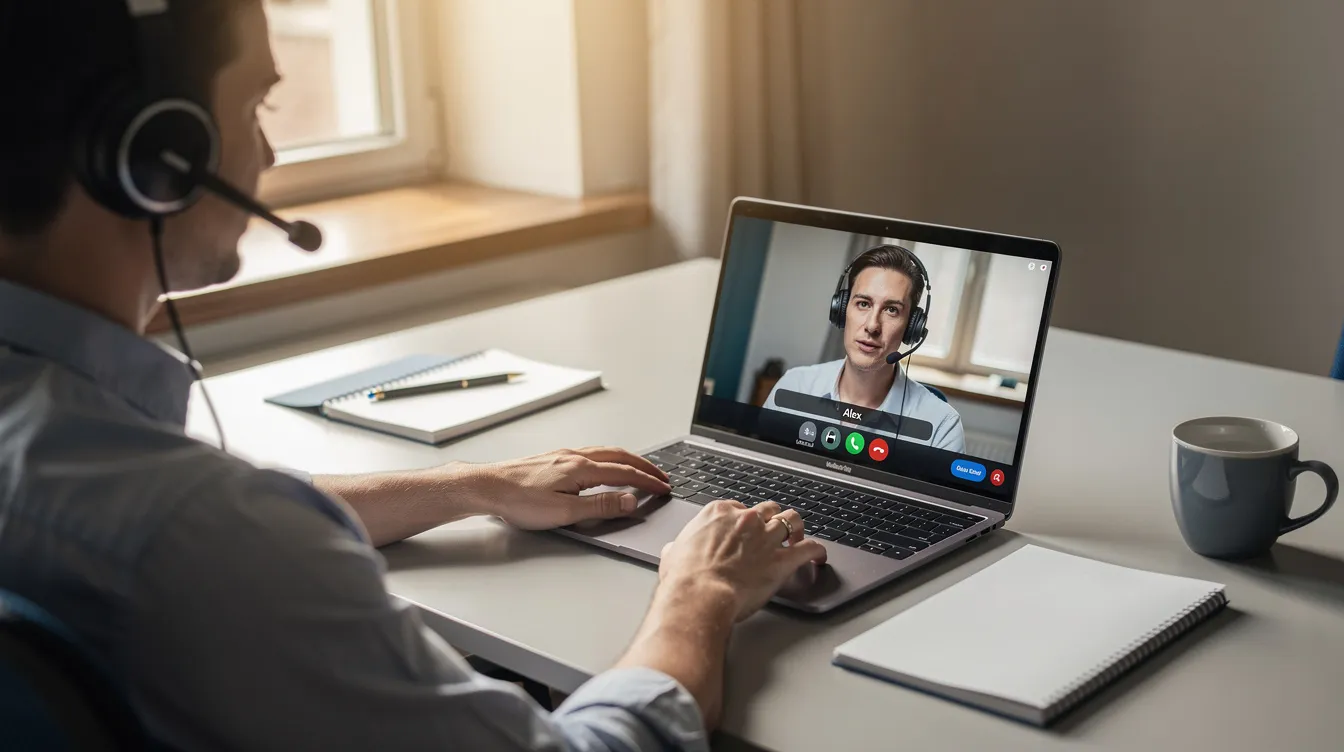
The best advice any experienced seller will give you: never show the product until you understand the problem and the broader business context around it. Discovery isn’t a one-time event either - top performers keep micro-discovery going during the demo, asking a clarifying question before each new section.
Capture your notes in the CRM and use them to design the agenda and talk track. Questions to ask before you ever share your screen:
- What does your current workflow look like for [the problem you solve]?
- Which parts of that process are mission-critical vs. nice-to-have?
- What tools are you using today - and what’s working or broken?
- Who else is involved in this decision? (Map the buying committee early.)
- What does success look like 90 days after you solve this?
- Are there hard deadlines - renewals, compliance dates, board reviews?
- Have you evaluated competitors, and what stood out?
- What would make you confident enough to move forward after this demo?
Research the prospect before you share your screen
Discovery gives you the buyer’s perspective; research gives you the context they won’t mention. A focused 15–20 minute pre-demo research routine separates a good demo from a memorable one. A reusable checklist:
- Industry reality - healthcare (HIPAA), finance (SOC 2), e-commerce (seasonal spikes). Reference it early to find common ground.
- Company stage - a recent raise, a product launch, a hiring spree. One specific detail (“I saw you opened a London office in March”) signals preparation.
- Team on the call - use LinkedIn to read their roles and priorities. A VP of Engineering cares about integrations; a Head of Support cares about ticket deflection.
- Their product - browse their site or trial. Speak in the prospect’s language and avoid unnecessary technical jargon.
- Tech stack - BuiltWith or job posts reveal what they run. If you integrate with their CRM or warehouse, highlight it live.
Keep the checklist segmented by common vertical (SaaS, fintech, e-commerce) so reps stay personalized without starting from scratch each time.
Design a clear sales demo agenda
Every demo deserves a visible agenda, shared in the calendar invite. It helps set expectations on both sides and gives you a framework to keep the call on track without sounding scripted. A repeatable structure:
- Recap & goals (5 min) - confirm what they want from the session. “Has anything changed since we last spoke?”
- Tailored walkthrough (20–25 min) - 2–3 use cases mapped to their pains. Lead with the most important flow; don’t bury it at the end.
- Mission-critical requirements (5 min) - security, compliance, integrations, in one focused block.
- Pricing context (5 min) - if the stage is right, introduce it to avoid surprises later.
- Q&A and next steps (5–10 min) - make “next steps” an explicit line item so the call ends on action, not “any questions?”
Co-create it at the start: “Here’s what I planned - does this still match what’s most important to you?” The demo should feel collaborative, not like a presentation happening at the buyer.
Structure and script: turn your demo into a story
A demo script needs a beginning, middle, and end - but the best ones read like a story the buyer recognizes as their own. Start with the problem, not the product - the best demos are conversations, not monologues.
The arc to follow:
- Current state - “Today your team manually exports data from three systems every Friday.”
- Pain - “That’s roughly eight hours a week, and it introduces errors your clients catch.”
- Desired outcome - “You want one dashboard that updates in real time and flags anomalies.”
- Bridge - “Here’s exactly how we solve that.”
- Proof - “Company X cut that same workflow from eight hours to twenty minutes.”
Lead with the benefit of a feature, not the mechanics. Name the feature, explain the benefit, then tie it back to the outcome the buyer named in discovery. Build modular talk tracks per persona (RevOps lead, support director, CMO) so reps can mix and match, and keep a shared script library with room to improvise.
Pro tip: script the transitions between sections. It’s what keeps a demo feeling like a conversation instead of a series of disconnected clicks.

Building a Tailored Demo Environment (Not a Generic Sandbox)
Most demos fail on environment, not delivery, which is why tailored demos work best when your setup actually matches the prospect’s world. If your sandbox is full of “Test Account 123” and lorem ipsum, the prospect checks out. Set this up 24–48 hours ahead:
- Names that mirror their world - “Q3 2026 EMEA Expansion,” not “Demo Project.”
- Pipelines, tickets, or dashboards configured for their vertical.
- Realistic roles so you can show permissions and collaboration as they’d actually experience them.
- Safe, mock data - never real customer info, but authentic and industry-specific.
- A library of “base” environments per vertical, refreshed quarterly as the product evolves.
The closer your environment mirrors their reality, the easier it is for them to imagine going live and picture the product in their day-to-day work.
Delivering the live demo: show, don’t tell
This is where it comes together: generally speaking, strong demos often need about 10x the preparation time of the live session.
- Open with rapport and structure (2–3 min) - quick connection, confirm time, review the agenda, restate the outcome: “By the end, you’ll know whether this solves your reporting problem.” If this is the first meeting after discovery, quickly confirm goals and context.
- Lead with the most valuable use case - don’t start on the home page and click every menu. Start with the workflow tied to their biggest pain.
- Quantify impact - “This automation saves your team roughly six hours a week.”
- Make it conversational - after each flow, pause: “How does this compare to your current process?”
- Avoid jargon - connect features to discovery pains, not internal product terms; plain language works better once the product becomes second nature to the rep.
- Invite questions throughout - if a stakeholder goes quiet, check in by name: “Sarah, from a security angle, how does this land?”
- Watch your talk-to-listen ratio - lean toward listening. Gong’s analysis of sales calls puts the winning split near 43% talking to 57% listening - a demo is a sales call, not a lecture.
Use pre-demos and on-demand video to reduce no-shows
No-shows quietly kill pipeline - on average, 20–30% of booked B2B SaaS demos end in a no-show, and for some teams it’s higher. A few habits that fight back:
- Send a short pre-demo video (60–180 sec) - one concrete pain, one outcome, one clear CTA to join or reschedule. It warms up cold leads and doubles as a teaser.
- Automate reminders at 24 hours and 1 hour before the call (email, optionally SMS).
- Remove scheduling friction - booking links in nurture emails, and pooled availability so prospects book without back-and-forth.
- Always attach the agenda and video to the calendar invite.
- Send a leave-behind for absent stakeholders - when the VP of Security or CFO can’t attend live, a tailored recorded walkthrough they watch on their own time keeps the deal moving.
This is the one place video does real work in the demo process. Tools like Velo let reps generate a personalized pre-demo intro or leave-behind recap without editing - more on that below, after the process itself.
Handling Questions, Objections, and Mission Critical Requirements
Questions are a good signal - they mean people are engaged. Handle them without losing momentum:
- Listen and paraphrase - “So SSO is non-negotiable for your IT team.”
- Ask a follow-up - “How often does that come up today?” This micro-discovery sharpens your answer for the potential customer.
- Separate hard requirements from preferences - compliance and integrations need definitive answers; UI preferences can be noted for later.
- Keep an objection library - for price, timing, competition, technical fit, and implementation, have a real customer story or data point ready.
- Use a 30-second customer clip - a peer describing how they solved the same problem beats any feature description.
| Objection | Response approach |
|---|---|
| ”It’s too expensive.” | Reframe around return on investment, efficiency gains, and the cost of inaction. |
| ”We’re locked into [competitor] for 12 months.” | Explore parallel evaluation and pilot timelines. |
| ”IT needs to review security.” | Offer a dedicated security deep dive as the next step. |
| ”We’ve tried something similar before.” | Dig into what failed and how you’re different. |
And don’t play hero solo: bringing a sales engineer into technical demos can lift win rates by as much as 30%, per Gong’s analysis. Capture anything you can’t answer on a shared notepad and commit to a follow-up with a date attached.
Closing the demo: next steps and follow-up
The close is where deals are won or lost - so protect time for it instead of letting Q&A eat the end of the call. Your final 5–10 minutes:
- Recap the value - key pains, what resonated, how you affect their metrics, in 1–2 minutes.
- Propose a specific next step - not “we’ll follow up,” but “Can we book a 30-minute technical deep dive with your engineering lead Thursday?”
- Book it before you hang up - booking the next step on the call helps close deals faster; if you leave without a date, momentum dies.
- Send a same-day recap email - key takeaways, open questions, agreed next steps with dates, and the call recording when useful.
- Share 1–2 relevant resources - a relevant article, case study, short walkthrough, or customer testimonial to help the buyer make an informed decision, not a generic content dump.
Measure and improve your demos over time
If you want demos that consistently close, measure them:
- Conversion to next stage - what share of demos produce a scheduled follow-up?
- Stakeholder attendance - are decision-makers showing up, or only ICs?
- Objections by segment - where do enterprise prospects stall vs. mid-market?
- Time on next steps - are reps rushing the close or investing in it?
Run periodic reviews: watch recordings of your best demos, dissect what worked, and turn the patterns into a sales enablement playbook so the sales team learns what produces better sales demos over time and new reps ramp faster.
How Velo fits into the demo process
Here’s the honest version - the real lever is your process, not a tool. But if video is part of your motion, Velo removes the editing and re-recording. It plugs in at three moments:
- Before - generate a 90-second personalized intro from a screen recording, deck, or URL, the day before the call. No editing, no film crew.
- After - send a polished leave-behind recap narrated in your own cloned voice (VeloTwin) via secure video hosting, and let every video auto-generate a written step-by-step doc for the follow-up email.
- At scale - keep demos current automatically when the UI changes, localize into other languages for EMEA/APAC, and store model talk tracks so every rep works from a proven narrative.
Velo also offers video analytics so you can see how prospects engage with your demo videos
Mini-scenario: an AE sends a 90-second Velo intro the day before a live demo, highlighting one workflow. On the call the prospect says, “I watched your video - let’s dig into that reporting piece.” Afterward, the AE sends a personalized recap video and an auto-generated written doc. The whole wrap-up takes minutes, not hours.
A repeatable sales demo blueprint
- Discovery - diagnose before you prescribe.
- Research - 15–20 minutes on their company, industry, and context.
- Agenda - visible, co-created, in the invite.
- Environment - realistic, industry-specific data.
- Delivery - lead with the top use case, stay conversational, check for understanding.
- Objections - listen, paraphrase, answer with stories and data.
- Next steps - recap value, propose a timeline, book the meeting on the call.
- Follow-up - same-day recap with a video and dated actions.
Better demos don’t come from memorizing more features. They come from treating every demo as a conversation about the buyer’s story, and driving toward a clear next step. Pick one or two changes from this list - formalizing your agenda, recording demos for review, or sending a pre-demo video - and put these tips in place this week.
For the habits that separate top closers, pair this with our guide to sales demo best practices.
Ready to make video the easy part of your demos?
Your demo process is the lever - but when video is part of it, it shouldn’t cost you hours of editing. Velo turns a screen recording, a deck, or a URL into a polished, narrated demo or recap video - no retakes, no film crew. Try Velo for free or book a demo.
About the author
Ritu Parakh is Growth Lead at Velo, the AI video messaging platform that turns a screen recording, a deck, or a URL into a polished, narrated video. She works with screen recording and video-messaging tools daily, and tests the alternatives hands-on when putting these guides together. She writes about video for demos, onboarding, and enablement. Connect on LinkedIn.