Turn the events in your workflow into video.

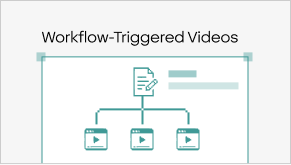
Connect a repeatable trigger to Velo so the right context can become a video when the workflow calls for it.

Video becomes scalable when creation happens where the work already happens.

Two ways to get video into the right moment.
Both depend on someone noticing.

Your workflow already knows when something important happened. Velo gives that moment a way to create the explanation itself.

  • Manual request

    Flexible. Human-led. Easy to forget.

    Someone has to notice the trigger and start production.

  • Batch production

    Efficient. Predictable. Often late.

    The video is created after the moment has passed.

  • Triggered video

    Contextual. Timely. Repeatable.

    The workflow itself starts video creation.

Watch a workflow event become a video.

Give Velo the trigger and the context around it. Slide across to see what the workflow produces.

Input Workflow event + source context + video template/instructions

Output Generated video delivered as part of the existing workflow

From workflow trigger to delivered video in four steps.

No manual request, no handoff queue, no waiting for someone to notice the moment.

  1. Define the trigger

    Choose the event that should create a video.

  2. Pass the context

    Give Velo the source material and workflow context.

  3. Generate the video

    Velo creates the narration and visual output.

  4. Deliver it where work happens

    Send or surface the video through the connected workflow.

Trusted by teams that need video to show up at the right moment.

  • 70% reduction

    in manual effort spent delivering recurring learner guidance.

  • 3× more

    learner milestones supported with video each month.

  • Same-day delivery

    without manual follow-up.

Delivering video guidance automatically at key learner milestones

An EdTech platform already knew when learners completed assessments, started modules, or reached important milestones — but sending the right video still depended on manual follow-up. By triggering video through those existing workflows, the team grew from roughly 100 to 300+ video touchpoints a month while removing most of the repetitive delivery work.

Read more →
We already knew the moments when learners needed help. The problem was someone still had to notice them and send something. Now the guidance can show up when the moment happens.
Director of Learner Success Global EdTech platform

A plan for however your team creates video.

Free

For anyone with a story to tell, one video at a time.

$0

per month

  • 1,500 credits
  • 2–5 mins of video/month
Try for Free

Pro

For creators, sellers, and marketers making video part of the weekly routine.

$41

per month, billed yearly

  • 3,000 credits
  • 5–10 mins of video/month
Get Pro

Ultra

For teams and power users turning video into a growth engine.

$167

per month, billed yearly

  • 30,000 credits
  • 50–100 mins of video/month
Get Ultra

Enterprise

For organizations bringing video to every team, workflow, and market.

Contact Sales
  • Custom credits
  • Custom seats
  • Custom avatars and voice clones
  • Custom integrations

Everything in Ultra, plus

SSO and SAML SCIM RBAC Advanced access controls Content governance Shared libraries Private and public share pages Data residency SCORM export API and SDK Workflow triggered videos

Turn workflow moments into video moments.

From support tickets to sales stages and onboarding milestones, create the right explanation when the trigger happens.

Support tickets

The same issues keep creating the same manual work. Trigger a visual answer when the right support event occurs.

Deal follow-ups

Follow-ups get missed when they depend on another task. Trigger the right video when a deal hits the right stage.

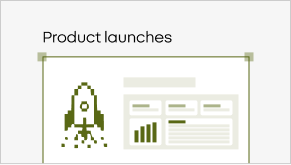
Product launches

Shipping a feature is only half the job. Trigger the explanation as part of the release workflow.

Customer guidance

Customer needs surface across the account lifecycle. Trigger contextual guidance when the relevant event occurs.

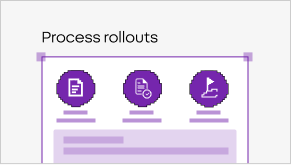
Process rollouts

New processes spread slowly when training starts after the change. Trigger the explainer when the process changes.

In time guidance

Users need help at the moment they hit a milestone. Trigger the right explanation from the workflow that gets them there.

Bring one repeatable workflow. See where video can become an output.

Make the right video appear when the workflow needs it, without waiting for someone to start production.

The exact trigger options depend on the workflow/integration; confirm supported triggers before publishing.

Yes, Velo is positioned to ground video output in company context.

The current pricing page lists workflow-triggered videos under Enterprise.

Velo supports editing before sharing; confirm workflow-specific editing behavior.