Video to doc

Every video becomes a doc

Click once and Velo turns your video into a clean written walkthrough, with headings, steps, and screenshots pulled straight from the recording. Edit it, then export to PDF or Markdown. The reference your viewers can skim, search, and keep.

Your video (a Velo recording)

From video to document in one click

Open the Docs tab

Next to your video preview, switch to the Docs tab. Every project can have a written companion.

Turn a link, document, or screen recording into a video.

Click Generate Doc

Velo reads the recording and builds a structured document from what happened on screen.

Velo writes the narration script automatically.

Review and edit

Headings, written steps, and screenshots are pulled from the video, with annotations tied to each action. Title and body are fully editable.

Edit the script, add zooms and callouts, and choose a voice.

Share or export

Save your edits, then export as a PDF for a fixed layout or Markdown to drop into your own documentation tools.

Share the finished video with a branded link.

When a video alone isn't enough

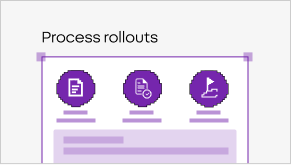
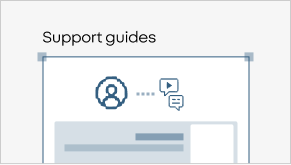
Help articles

Pair every how-to video with a readable, searchable article.

SOPs

Turn a recorded process into a clear step-by-step SOP, with screenshots.

Handoffs

Give teammates a written reference they can scan, not just a video.

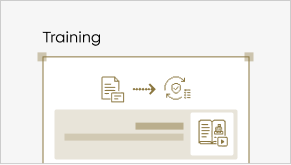
Onboarding

Offer a skimmable guide alongside the walkthrough.

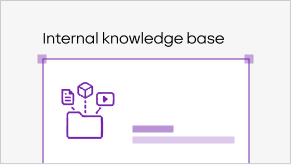
Knowledge base

Feed your docs site straight from your recordings.

SEO content

Publish the written version so the content is findable in search.

Other tools leave you with just a video. Velo gives you the doc too.

One click turns any recording into a structured, screenshot-rich document, an SOP, a help article, or a handoff, that you can edit, export, and publish. No transcribing, no manual screenshots, no rewriting it all by hand.

Open the Docs tab next to your video and click Generate Doc, Velo turns the recording into a written document for you.

Yes. Record the process once and Velo builds a step-by-step SOP, complete with screenshots, that you can edit and export.

Headings, written steps, and screenshots captured from the video, with annotations tied to specific actions.

Yes, both the title and the body are fully editable before you share or export.

PDF for a fixed-layout document, or Markdown for use in other documentation tools.

Yes, you can generate a doc from any Velo video today.

Give every video a written version