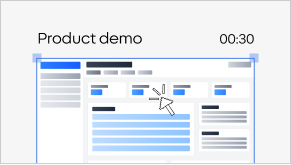
Input, raw recording
Turn any screen recording into a clean, narrated video
Velo reads your raw recording and rebuilds it into clear video: it finds what matters and zooms in, smooths the cursor, cuts the dead air, applies your brand, and writes the script. Built for demos, sales videos, and walkthroughs.
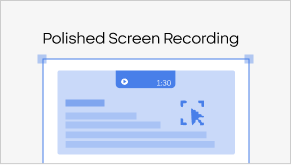
Output, polished video
From raw recording to finished video, in four steps
Record or upload
Capture your screen with the Velo Chrome extension (full desktop, a window, or a tab), or drop in a raw Loom, Zoom, or MP4 recording.
Velo cleans it up automatically
It zooms in where the action is, smooths out the cursor, trims the dead air, and writes a clean script, no manual editing.
Make it yours
Swap the cursor style and size, drop in your brand kit, pick a persona, and rewrite any line of the script with context.
Share anywhere
Send one link or download the video, and every recording comes with a written doc, generated automatically.
Anywhere a rough recording won't cut it
Demos & sales videos
Turn a quick capture into a demo or sales video that's clear and on-brand.
Onboarding & training
Record once and ship clean walkthroughs your team finishes.
Support answers
Reply to tickets with a tidy video instead of a wall of text.
Bug reports & handoffs
Show the issue clearly, zoomed in on exactly what matters.
Sales walkthroughs
Send clear product tours without re-recording.
Tutorials
Make how-tos people can actually follow, step by step.
Other recorders simply capture your screen. Velo turns it into a finished video.
Velo zooms, smooths the cursor, applies your brand, and writes the script, automatically. Other tools hand you the raw file and leave the editing to you.
FAQs
Upload it to Velo and it cleans up the recording automatically, then tweak the cursor, zooms, brand, and script in a simple editor.
Drop your recording into Velo in any browser, no Mac-specific app or timeline editor to learn.
No. You record or upload; Velo handles the zooms, cursor, cuts, script, and voiceover.
Yes, Velo adds zooms to highlight the part of the screen that matters, so viewers always know where to look.
Your full desktop, a single window, or a browser tab, with the Velo Chrome extension. Or upload a recording you already have.
Yes. Start on the free plan.