Velo for Enterprise Software

From a Jira release to a rollout video, before the next QBR.

Built for teams that run implementations every quarter, not once a year.

Point Velo at the Jira release, the implementation guide, or a five-minute solutions engineering demo, and get a product demo, rollout, or customer success video, grounded in your actual product and narrated in your voice, before the next QBR.

The release shipped. The customer's security reviewer still hasn't seen how it works, three weeks later.

The knowledge already exists, in the Jira release, the implementation guide, the solutions engineering demo script. Turning it into something every stakeholder in a long, multi-touch sales or implementation cycle can watch on their own time is still a manual pass: book a call, hope the right people show up, repeat it for the next account.

The manual stack

  1. 01 Jira release
  2. 02 Book a demo call
  3. 03 Half the buying committee misses it
  4. 04 Reschedule
  5. 05 Deal stalls

Works for the stakeholders in the room. Breaks down the moment the buying committee has eight people and three time zones.

Security review due in 5 days, reviewer still hasn't seen the product

With Velo

  1. 01 Jira release
  2. 02 Script
  3. 03 Render
  4. 04 Sent to every stakeholder
  5. 05 Auto re-render

Fix the script, not the video. Every stakeholder, in the buying committee or the implementation team, sees the current product on their own schedule.

Every stakeholder covered before the deadline, no reschedule required

Plugs into the tools your team already runs on.

You don't have to build a new content pipeline. Velo reads what's already in Jira, Salesforce, or your implementation guides, and turns it into a clear, on-brand video.

Your source

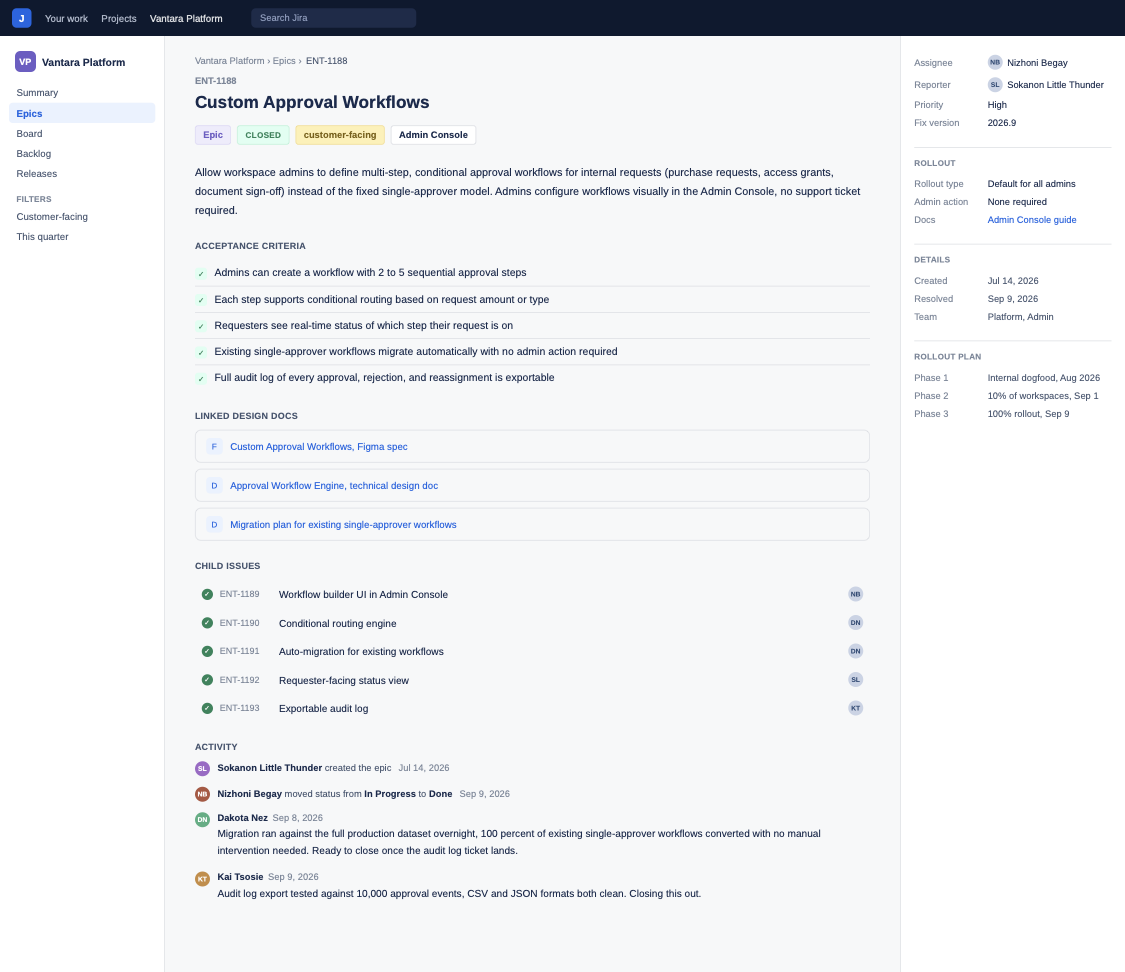
Jira · REL-1140: Enterprise SSO & Audit Logging

Rendered output

Same system. Different job to do.

One shared release and account context, used differently by every role across the deal and the rollout.

  • Product Marketing

    "Here's what shipped, and why it matters."

    Launch demo, synced to the Salesforce deal room the same day.

  • Solutions Engineering & Sales

    "See the new capability in under two minutes."

    Technical walkthrough, sent to security reviewers instead of another call.

  • Customer Success & Implementation

    "Here's your rollout plan."

    Onboarding video, watched by every stakeholder before kickoff.

The same video does three jobs, because your org already shares the same release.

A release isn't three separate assets. It's one Jira ticket, rendered once, reused everywhere your go-to-market org needs it.

  • PMM

    Ships it.

    Points Velo at the release, reviews the script, hits render.

  • Solutions Engineering

    Repurposes it.

    Same render becomes the technical review walkthrough, no new brief needed.

  • Customer Success

    Reuses it.

    Same render becomes the implementation kickoff video.

One release. One shared library. No account starts from zero.

From release to clear video in four steps.

Point it at what already exists. Review the script once. Ship the video to every stakeholder who needs it.

  1. 01

    A Jira release, an implementation guide, a Salesforce opportunity, or a live product URL.

  2. 02

    Structures the explanation and writes the script for you to check.

  3. 03

    Narrated in your voice, on brand, every time.

  4. 04

    A Salesforce deal room, a Gainsight success plan, a customer portal, or a shareable link.

One video system for every enterprise software moment.

From the first technical evaluation to the next QBR, without starting over each time.

  1. 01 · Evaluation

    Product demo videos.

    Grounded in the live product, not a screenshot deck from last quarter.

  2. 02 · Security review

    Technical walkthrough videos.

    Sent to reviewers directly, no live call required.

  3. 03 · Ongoing

    Auto-updating implementation guides.

    Connected to the current release, so a rollout plan doesn't quietly go stale.

  4. 04 · Quarterly

    QBR recap videos.

    Replace a live walkthrough with a video sent ahead of the meeting.

  5. 05 · Support

    Configuration how-tos.

    Pulled straight from recurring implementation questions, no separate content pass.

  6. 06 · Global

    Multilingual rollout videos.

    The same explanation, narrated for every market and every stakeholder you sell into.

One grounded system, not a tool stack.

Your product and your accounts both change constantly. What stays consistent is the system your whole team ships video from.

  • Edit the script and Velo re-renders the video. No re-recording when the next release ships.

  • A Jira release, an implementation guide, a Salesforce opportunity, or a live product URL becomes a structured, narrated script.

  • Trigger a render straight from a Jira release or a ServiceNow change ticket, via the API and SDK.

  • Connect Jira, Salesforce, and your implementation documentation, so every video is grounded in what's actually shipped and sold.

  • One voice and look across every video, no matter which team, product, PMM, or CS, made it.

  • Share a link, embed it in the Salesforce deal room, or drop it into a Gainsight success plan.

  • See which stakeholders watched, and which ones haven't, so you know exactly who to follow up with before the deadline.

  • Let an agent turn a closed Jira ticket or a support ticket pattern into a video on its own, no one has to kick off the render.

  • Already have a raw solutions engineering demo recording? Velo cleans it up: zooms, callouts, cursor smoothing, and narration, without a re-shoot.

Ship the explanation as fast as you ship the release.

Real releases. Real buying committees. A faster way to close the gap between shipping a feature and every stakeholder understanding it.

  • 24%

    Shorter sales cycle on deals using video for stakeholder alignment

  • 58%

    Faster turnaround on release and rollout video

  • 2x

    Video volume shipped, without adding headcount

How an enterprise software vendor cut security review turnaround by getting the product in front of reviewers without another call.

An enterprise software vendor selling into large IT organizations regularly hit a wall in the sales cycle: the security and IT review stage, where the reviewer evaluating the product had never actually seen it work and needed a dedicated solutions engineering call to walk through it. Scheduling that call with a busy technical reviewer routinely added two to three weeks to deals that were otherwise ready to close, and solutions engineers spent a disproportionate share of their week repeating the same technical walkthrough for different accounts.

The team connected Velo to their Jira release notes and product documentation. Solutions engineering now sends a recorded, narrated technical walkthrough directly to security and IT reviewers the moment a deal enters that stage, instead of waiting for a live call. Reviewers who watch on their own schedule respond with questions faster than they scheduled the original call, and the video updates automatically when the underlying release changes.

Industry
Enterprise software, IT & security tooling
Company size
~600 employees, mid-market to enterprise
Plan
Velo Enterprise, org-wide rollout
Primary use case
Security review & technical stakeholder enablement

  • 2 weeks faster

    Average time to close security and IT review

  • 30% less SE time

    Spent on repeat technical walkthrough calls

  • 2x more accounts covered

    By the same solutions engineering team

We used to lose two to three weeks on every deal just scheduling the security review call. Now the reviewer watches the walkthrough the same day, on their own time, and we're not the bottleneck anymore.
VP of Solutions Engineering Enterprise Software Vendor
We get production-ready product videos in a fraction of the time, and we're shipping twice as many without adding headcount.
Zuzanna Kurasińska Content Marketing Specialist, import.io

A rollout playbook for enterprise software teams: how to align a whole buying committee or implementation team on video.

Release-to-video workflows, multi-stakeholder deal enablement, and implementation onboarding tactics, written for PMM and customer success teams.

Read the enterprise software video playbook

Start free, scale as your release and deal cycle demands.

Product demo, implementation, and customer success video are available on every plan. Higher tiers add auto-updating demos, Salesforce and Gainsight integrations, and workflow triggers.

Free

Try Velo on your next Jira release.

$0

per month

  • 1,500 credits
  • 2–5 mins of video/month
Try for Free
Recommended

Pro

Auto-updating demos, brand kit, unlimited renders.

$41

per month, billed yearly

  • 3,000 credits
  • 5–10 mins of video/month
Get Pro

Ultra

Jira, Salesforce, and Gainsight integrations, multilingual output, advanced analytics.

$167

per month, billed yearly

  • 30,000 credits
  • 50–100 mins of video/month
Get Ultra

Enterprise

Workflow triggers from Jira and Salesforce via API and SDK, security controls, org-wide rollout.

Contact Sales
  • Custom credits
  • Custom seats
  • Custom avatars and voice clones
  • Custom integrations

Everything in Ultra, plus

SSO and SAML SCIM RBAC Advanced access controls Content governance Shared libraries API and SDK Private and public share pages Data residency SCORM export Workflow triggered videos

No. Velo is priced per account, so product, PMM, solutions engineering, and CS can all make video without a per-user bill.

No. Velo replaces the manual production work so your solutions engineers spend time on complex, high-stakes conversations, not repeating the same walkthrough for every account.

Yes. Every video can be hosted with access controls and permissions, so it holds up to the same security review as the rest of your stack.

Velo connects to Jira, Salesforce, Gainsight, and your implementation documentation, plus a live product URL or screen recording, so you're not re-entering content anywhere.

Product demo videos, security and technical review walkthroughs, implementation and rollout videos, and QBR content, each grounded in your actual product with a written record alongside it.

Velo reads your context, a Jira release, an implementation guide, or a live product URL, structures the explanation, writes the script, and renders the video narrated in your voice.

Yes. Edit the script and Velo re-renders the video. No re-recording, and the written record updates with it.

A screen recorder captures whatever you record, take after take. Velo turns product and account context into a structured, narrated video, re-renders when the script changes, and produces a written record alongside it.

Yes. The same explanation can render in any language, narrated in your voice, so one demo or rollout video reaches every market and every stakeholder you sell into.

Yes. Video agents can turn a closed Jira ticket or a recurring support pattern into a video on their own, so the backlog doesn't wait on someone's free hour.

Ship the explanation as fast as you ship the release.

Point Velo at your next release and see the video before the next QBR.