Document to video

Turn any PDF or presentation into a video that explains itself

Velo turns PDF to video and PowerPoint to video without recording anything. Point it at a slide deck or a doc: it reads the source, writes the script, narrates it in your voice, and renders a finished video. No camera, no editing, no re-recording.

Output, narrated video

Slides to video with AI, in four steps

Upload your deck or doc

Drop in any slide deck (PowerPoint, Keynote, Google Slides) or a PDF. Same fast flow for each.

Turn a link, document, or screen recording into a video.

Get a ready-to-go script

Velo reads your slides and writes the narration automatically. No separate slide notes, no blank page.

Velo writes the narration script automatically.

Add your voice, then refine

Narrate in your cloned voice, then add zooms, music, and your brand. Change a line and Velo re-renders just that scene.

Edit the script, add zooms and callouts, and choose a voice.

Share anywhere

Send one link, or download the video. Every video also comes with a written doc, generated automatically.

Share the finished video with a branded link.

Anywhere you'd send a deck or doc, send a video instead

Pitch decks

Investor and sales pitches your team can send anytime, no live presenting.

Onboarding

Turn the welcome deck into a walkthrough new users actually finish.

Product launches

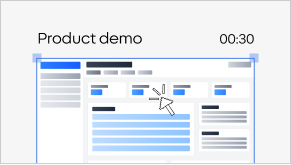
Ship a crisp overview video instead of a 30-slide PDF nobody reads.

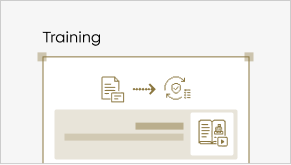
Training

Playbooks and SOPs become videos people watch to the end.

Quarterly reports

Turn the board deck into a three-minute recap anyone can follow.

Sales enablement

Reps send the same polished demo every time, on brand.

Other tools export your slides. Velo narrates them.

Velo reads the deck, writes the script, narrates it in your voice, and renders a finished video. Other tools stitch your slides into a silent MP4 and leave the rest to you.

No. Velo writes the script from your slides and narrates it in your cloned voice, or pick from our library of voices.

Yes. Treat it as a first draft, tweak any line and Velo regenerates just that scene.

Any slide deck, PowerPoint, Keynote, or Google Slides, plus PDF docs.

Yes, narration is added automatically, voiceover included.

Upload your deck to Velo. It writes a script, narrates each slide in your voice, and exports a finished video, no recording.

Upload the PDF to Velo. It reads the source, writes a script, narrates it in your voice, and renders a finished video.

Yes. Start on the free plan.

Start turning decks into videos