9 Best Descript Alternatives in 2026 (Free & Paid)
Descript is unusually broad: it records remote conversations, transcribes media, edits audio and video through text, improves speech, creates clips, and generates new media. That range is useful, but it also means the best Descript alternative depends on which part of the workflow you actually need to replace.
This guide compares nine free and paid Descript alternatives for podcast recording, browser editing, social clips, professional post-production, transcription, and product or training videos. It is a researched comparison based on current product and pricing pages, verified September 1, 2026. It is not presented as a hands-on test.
Disclosure: this guide is published by Velo, which appears as option 5. We have kept the comparison fair and credited what each tool does best.
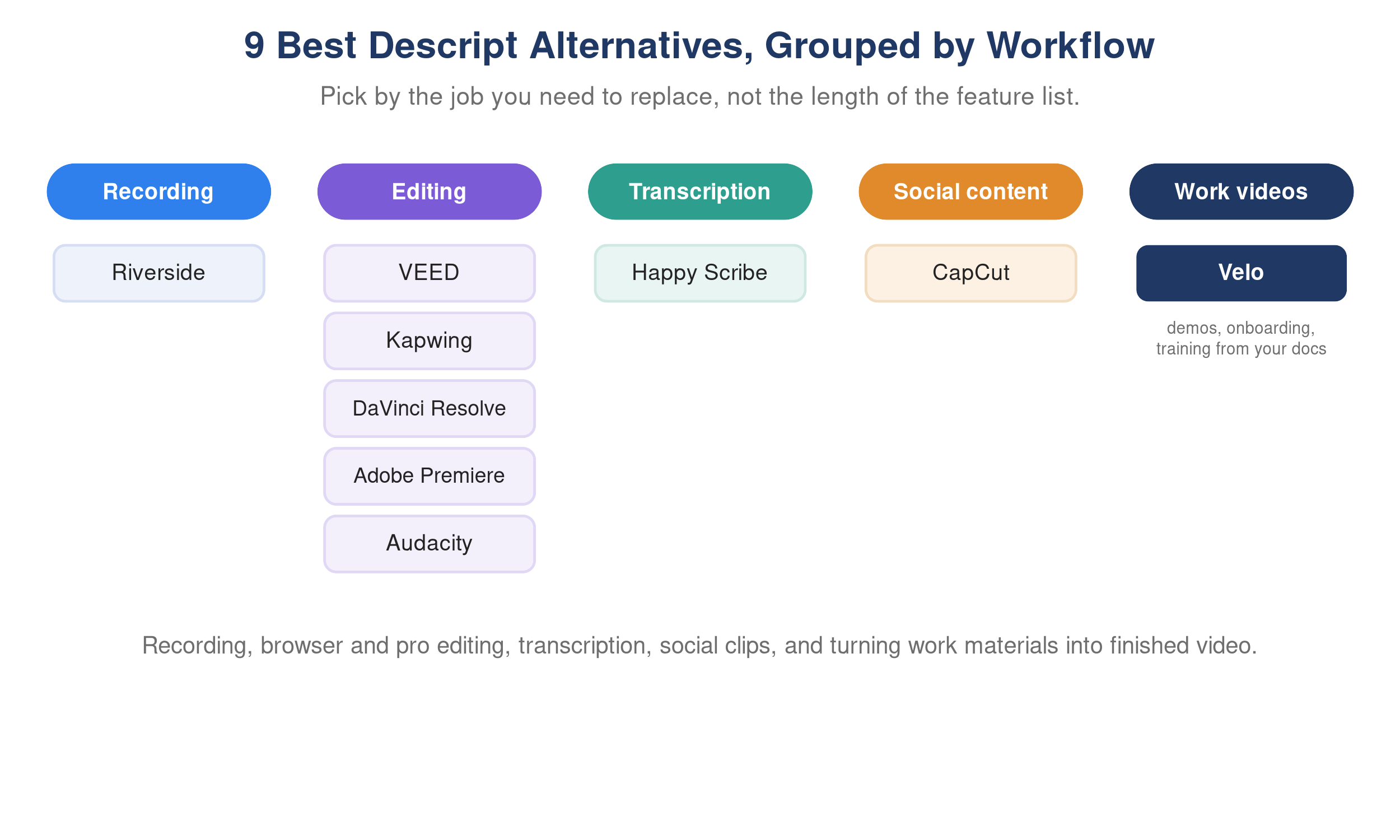
Best Descript alternatives in 2026 grouped by video and audio workflow.
Quick takeaways
- Choose Riverside when high-quality remote recording is the priority.
- Choose VEED or Kapwing for browser-based editing and team content.
- Choose DaVinci Resolve or Adobe Premiere for deeper timeline control.
- Choose CapCut for fast, social-first production, and Audacity for free audio editing.
- Choose Happy Scribe for transcript, subtitle, and localization work.
- Choose Velo when the source is a product, screen recording, SOP, deck, or document and the goal is a finished work video.
The best Descript alternatives at a glance
| Alternative | Best for | What it replaces best | Free option | Main tradeoff |
|---|---|---|---|---|
| Riverside | Remote podcasts and interviews | Recording, transcription, basic editing | Yes | Less flexible than a full timeline editor |
| VEED | Fast browser video production | Captions, cuts, social and marketing videos | Yes | Advanced work can become plan and credit dependent |
| Kapwing | Collaborative content teams | Browser editing, repurposing, subtitles | Yes | Not designed for deep audio engineering |
| DaVinci Resolve | Professional editing | Timeline editing, color, audio, effects | Yes | Steeper learning curve |
| Velo | Product demos and training videos | Turning work materials into finished video | Yes | Not a cinematic or podcast production suite |
| CapCut | Social clips | Short-form editing, effects, templates | Yes | Business governance varies by plan and workflow |
| Adobe Premiere | Advanced creative production | Precise post-production and ecosystem workflows | Trial | More time, skill, and cost than lightweight editors |
| Audacity | Audio-only editing | Waveform editing and recording | Yes, open source | No video workflow or polished remote studio |
| Happy Scribe | Transcription and subtitles | Transcripts, captions, translation | Limited trial or usage | Not a general-purpose creative editor |
There is no honest “best overall” without context. A podcast team, a social creator, and a product-marketing team may all use Descript, but they are solving different problems.
Why look for an alternative to Descript?
Descript remains a strong choice when you want one workspace for transcript-based audio and video editing. Its current plans combine media-hour allowances with AI credits, and paid tiers add features such as watermark-free export, higher resolution, media generation, Brand Studio, dubbing, and collaboration. Descript’s official pricing page is the right place to verify the allowance attached to each plan before buying.
An alternative may make more sense when one of these is true:
- You need higher-quality remote recording more than all-in-one editing.
- You prefer a traditional timeline with detailed control over color, effects, or audio.
- You create short social content and want templates, mobile workflows, or rapid resizing.
- Your main deliverable is a transcript, caption file, or translated subtitle set.
- You are producing repeatable product demos, onboarding videos, or training from company materials rather than editing a podcast or talking-head recording.
- You want a genuinely free desktop editor without monthly media or AI-credit limits.
The right question is not simply, “What is cheaper than Descript?” It is, “Which tool removes the most work from the output we create every week?”
How we compared the alternatives
We used six criteria that matter across audio and video workflows:
- Primary workflow: what job is the product built to complete?
- Editing model: does it use a transcript, browser canvas, traditional timeline, or automated generation?
- Recording: can it capture local or remote audio, camera, and screen sources?
- AI assistance: does it help with cleanup, captions, clips, voice, translation, or generation?
- Collaboration and output: can a team review, brand, export, and distribute the finished work?
- Cost structure: is there a free option, per-user subscription, usage allowance, or perpetual desktop edition?
Features and prices change frequently. Treat the plan notes below as a buying guide and confirm the final terms on each company’s official pricing page.
1. Riverside: best for remote podcast and interview recording
Riverside is the clearest Descript competitor when the recording itself matters most. It records participant tracks locally before uploading them, which helps protect quality from unstable live connections. Teams can capture remote video and audio, create transcripts, edit from text, generate captions, and repurpose long recordings into clips.
Why choose it: the workflow starts with a purpose-built remote studio rather than an editor that also records. This is valuable for podcasts, webinars, customer interviews, and executive conversations with remote guests.
Useful capabilities:
- Separate participant audio and video tracks
- Remote guest recording and producer controls
- Transcript-based editing and automated clips
- Screen sharing, captions, and teleprompter tools
- Browser and mobile capture options
Limitation: Riverside is not a direct substitute for a full post-production environment. Teams needing complex motion graphics, detailed compositing, or advanced audio mixing may still finish in another editor.
Best for: podcast teams, interview shows, webinars, and remote customer stories. Riverside offers a free tier and paid plans, so check its current plan limits before estimating recording volume.
2. VEED: best browser-based alternative for quick video editing
VEED is a strong alternative to Descript for teams that want to create and edit video entirely in a browser. It combines timeline and canvas editing with recording, subtitles, templates, stock media, AI tools, translation, and sharing.
Why choose it: VEED is oriented toward finished visual content. It is a practical fit for marketing videos, explainers, internal updates, and social posts where layout, captions, branding, and aspect ratios matter as much as transcript cleanup.
Useful capabilities:
- Browser-based editor with no desktop installation
- Automatic subtitles and caption styling
- Screen, webcam, and audio recording
- Brand tools, templates, stock media, and resizing
- AI-assisted cleanup, translation, voice, and video creation
Limitation: some of the attractive AI and collaboration capabilities depend on the selected plan and allowance. A team should price its expected exports, seats, translation, and AI use, not only the headline monthly rate.
Best for: marketing teams and creators who value browser access, fast layout, and multi-format output. VEED has a free plan, so compare current inclusions on its pricing page.
3. Kapwing: best for collaborative content repurposing
Kapwing works well for teams turning one source into many pieces of content. Its browser editor supports subtitles, transcript-based trimming, resizing, brand assets, shared workspaces, dubbing, and tools for converting longer media into short clips.
Why choose it: the product balances accessible editing with collaboration. Non-editors can work from a shared brand system and adapt a webinar, interview, or campaign asset for different channels without learning a professional desktop editor.
Useful capabilities:
- Shared browser workspace and brand kit
- Transcript trimming, subtitles, and translation
- Smart cuts, resizing, templates, and stock assets
- Repurposing for vertical, square, and landscape formats
- Commenting and team review
Limitation: Kapwing is not designed for detailed multitrack audio production or high-end finishing. Large or technically demanding projects can be better served by a desktop editor.
Best for: social, content, and communications teams producing variants together. A free plan is available, so review export and AI limits on Kapwing’s pricing page.
4. DaVinci Resolve: best free alternative for professional editing
DaVinci Resolve is the strongest free Descript alternative for people who want a traditional professional post-production suite. It combines editing, color correction, visual effects, motion graphics, and audio post in one desktop application.
Why choose it: the free edition is substantial and does not depend on monthly transcription hours simply to edit footage. Its Fairlight audio environment and color tools go far beyond lightweight browser editors.
Useful capabilities:
- Multitrack timeline editing
- Professional color grading
- Fusion visual effects and motion graphics
- Fairlight audio editing and mixing
- Collaboration and additional AI features in DaVinci Resolve Studio
Limitation: Resolve has a meaningful learning curve. Editing a simple conversation by reading its transcript is not as immediate as Descript’s document-like workflow, and it requires capable desktop hardware.
Best for: editors, filmmakers, YouTube teams, and organizations that need control and can invest in learning. The core edition is free, and DaVinci Resolve Studio adds paid capabilities.
5. Velo: best for product demos, training, and work videos
Velo is not a podcast editor. It is a Descript alternative for a different starting point: your company knowledge and product context. Instead of importing a finished interview and editing its transcript, a team can start from a rough screen recording, URL, script, SOP, PDF, or presentation and produce a structured, finished work video.
That distinction matters for product demos, software walkthroughs, onboarding, help-center content, and internal training. The work is usually not “make this conversation tighter.” It is “turn this process or document into a clear explanation that stays consistent.”
Useful capabilities:
- Turn a screen recording or script into a polished product demo video
- Convert PDFs and presentations into video
- Add narration, captions, zooms, cursor cleanup, and brand styling
- Regenerate sections when a product or procedure changes, so demos stay current
- Turn any video into an editable written doc for your help center
Limitation: Velo is not intended for cinematic color work, multitrack podcast production, or frame-by-frame creative compositing. If those are central, use a professional editor or recording suite.
Best for: product marketing, customer success, support, operations, and L&D teams creating repeatable product demos and training videos. A free plan is available, so see Velo pricing for current allowances.
6. CapCut: best for fast social video creation
CapCut is built around rapid, visually active content. It offers desktop, web, and mobile editing, with templates, effects, automatic captions, background removal, resizing, and AI-assisted creative tools.
Why choose it: it makes common short-form conventions accessible, including animated captions, quick reframing, music, speed changes, filters, and platform-ready templates. That can be faster than adapting a general-purpose editor for every social post.
Useful capabilities:
- Mobile, browser, and desktop workflows
- Short-form templates and visual effects
- Automatic captions and background tools
- Social aspect ratios and direct creative workflows
- Free entry point with paid Pro features
Limitation: CapCut’s strength is speed and social style, not controlled corporate training, long-form podcast production, or deep enterprise governance. Teams should also review current account, storage, and commercial-use terms for their region.
Best for: creators and social teams producing TikTok, Reels, Shorts, and campaign clips. Review the current offering on CapCut’s official site.
7. Adobe Premiere: best for advanced creative control
Adobe Premiere is the appropriate step up when Descript feels too constrained. It provides precise timeline editing, multicamera workflows, color tools, audio controls, effects, captions, text-based editing, and deep integration with After Effects, Photoshop, Audition, and Frame.io.
Why choose it: Premiere does not force one editing model. Editors can combine transcript-based rough cuts with detailed manual work, motion design, advanced finishing, and shared professional workflows.
Useful capabilities:
- Text-based editing and transcript search
- Multicam and multitrack production
- Detailed effects, masks, keyframes, color, and audio
- Integration with Adobe Creative Cloud and Frame.io
- Broad format and professional workflow support
Limitation: it costs more time and training than Descript. A creator who only needs to remove filler words, publish captions, and cut a simple interview may find it excessive.
Best for: professional editors, agencies, in-house creative teams, and complex branded production. Premiere is subscription-based, so confirm the current regional price on Adobe’s official page.
8. Audacity: best free alternative for audio-only editing
Audacity is a free, open-source audio recorder and waveform editor. It is not a like-for-like replacement for Descript, but it is a sensible answer when video, remote guest capture, and AI generation are unnecessary.
Why choose it: there is no per-month media allowance, and the software supports multitrack recording, cutting, effects, plugins, noise work, and common audio exports.
Useful capabilities:
- Free, open-source desktop software
- Multitrack recording and waveform editing
- Plugin and effects support
- Common audio import and export formats
- Offline editing
Limitation: Audacity does not provide Descript’s document-like transcript workflow, hosted remote studio, video canvas, automated clips, or built-in AI publishing system.
Best for: voiceovers, simple podcasts, music, and audio cleanup on a zero-dollar software budget. Download it only from the official Audacity site.
9. Happy Scribe: best for transcription, subtitles, and localization
Happy Scribe is the most focused option in this comparison. It centers on converting media into transcripts, captions, and translated subtitle files, with both automated and human-service workflows depending on the language and job.
Why choose it: if the transcript is the deliverable, not merely a way to edit a video, a dedicated language workflow can be more useful than an all-in-one creator. Review, timestamps, speaker labels, subtitle formats, and translation are central rather than secondary.
Useful capabilities:
- Automated transcription and subtitles
- Human-made services for supported workflows
- Subtitle editing, timing, and export formats
- Translation and team review
- Integrations and an API for higher-volume work
Limitation: Happy Scribe is not a complete creative video editor. You may still need another product to assemble visuals, design scenes, or produce social variants.
Best for: researchers, media teams, accessibility workflows, localization teams, and anyone whose main output is text or captions. Check current usage and service pricing on Happy Scribe.
Which free Descript alternative should you choose?
The best free option depends on what you are willing to trade:
- DaVinci Resolve offers the most professional editing capability, but it takes time to learn.
- Audacity is the simplest no-cost choice for audio-only work.
- CapCut is convenient for social clips, though some assets and AI features require payment.
- VEED, Kapwing, Riverside, and Velo let you start free, but their free plans have practical usage or export limits.
Free is most valuable when it matches the workflow. A powerful free timeline is not a bargain if the team spends hours on repeatable edits that a purpose-built tool could automate.
How to choose the right alternative to Descript
Use the source material and final deliverable as the decision filter:
| If you start with | And need to produce | Shortlist |
|---|---|---|
| Remote guest conversations | Podcasts, interviews, webinars | Riverside, Descript |
| Raw footage | Professionally finished video | DaVinci Resolve, Adobe Premiere |
| Long marketing content | Social clips and campaign variants | Kapwing, VEED, CapCut |
| Audio only | A cleaned podcast or voice track | Audacity, Descript |
| Media files | Accurate transcripts or subtitles | Happy Scribe, Descript |
| A product, SOP, deck, or screen workflow | Demo, onboarding, support, or training video | Velo, Camtasia, Synthesia depending on format |
Before switching, run one representative project through your shortlist. Measure the total time from source to approved output, the number of tools involved, revision effort, and the cost of the plan you would actually need. Export one final file and confirm caption, resolution, watermark, branding, and collaboration limits.
Frequently asked questions
What is the best Descript alternative?
Riverside is a strong choice for remote recording, VEED or Kapwing for browser editing, DaVinci Resolve for professional free editing, and Happy Scribe for transcription. Velo is better suited to product demos and training videos made from screen recordings, documents, SOPs, or scripts. The best option depends on the job you are replacing.
Is there a free alternative to Descript?
Yes. DaVinci Resolve offers a substantial free video editor, Audacity is free and open source for audio, and CapCut provides free social-editing tools. Riverside, VEED, Kapwing, and Velo also have free entry points with limits. Compare exports, watermarks, recording time, storage, and AI allowances before committing.
Which Descript alternative is best for podcast editing?
Choose Riverside if you need a strong remote recording studio plus a streamlined edit. Choose Audacity if you want free waveform-based audio editing. Choose Adobe Premiere, Audition, or DaVinci Resolve when you need deeper post-production control. Descript itself remains convenient for editors who prefer to cut a podcast by editing text.
Which alternative also supports text-based video editing?
Riverside, Kapwing, Adobe Premiere, Camtasia Audiate, and several browser editors provide some form of transcript or text-assisted editing. Their implementations are not identical: some use the transcript for rough cuts, while others combine it with a traditional timeline. Test the specific edit you perform most often.
Can I use Velo instead of Descript?
Use Velo instead of Descript when you are creating structured product demos, software walkthroughs, support videos, or training from a screen recording, document, URL, SOP, or script. Keep Descript, or choose another editor, when the core work is podcast production, interview editing, or general creative post-production.
Is switching from Descript worth it?
Switching is worthwhile when another tool materially reduces production time, improves the final format, or removes limits that affect your normal workload. If Descript’s transcript editor, recorder, audio cleanup, and publishing tools already fit your work, replacing it may simply add complexity.
Final recommendation
Choose by workflow, not by the length of the feature list. Riverside is strongest for remote recording, VEED and Kapwing make browser production accessible, DaVinci Resolve and Premiere provide deeper post-production, CapCut accelerates social content, Audacity handles free audio editing, and Happy Scribe specializes in language work.
For repeatable product demos, onboarding, support, and training, try Velo with a real screen recording, document, or SOP. The useful comparison is how quickly each option turns that source into an accurate, approved video, not how many unrelated features fit on its pricing page. Book a demo to see it on your own workflow.