Best Loom Alternative in 2026: 8 Video Recording Tools for Teams
Loom changed the way teams communicate with async video. But in 2026 the landscape looks very different - and Loom’s free plan is a big reason people are shopping around. It now caps you at 25 videos and 5 minutes per recording, and many teams hit those limits fast.
The good news: plenty of tools now do async video and screen recording, and several have leapfrogged Loom on AI automation, editing, and pricing fairness. Whether you need quick screen recordings for support replies or polished product demos for your sales pipeline, there’s a tool built for your workflow.
This guide breaks down the best Loom alternatives in 2026 - with honest assessments of what each tool does well, where it falls short, and who it’s actually built for.
TL;DR - the best Loom alternatives in 2026
Best for AI-powered video creation you can edit by prompt: Velo - turns a recording, deck, or URL into a polished, narrated video, then lets you refine it by describing the change or by hand.
Best free option: OBS Studio (power users) or ScreenPal (educators).
Best for interactive product demos: Supademo.
Best for sales teams: Vidyard (CRM analytics) or Velo (auto-generated demos).
Best for Mac / cinematic polish: Screen Studio.
Best for deep editing: Descript.
The honest answer: the right Loom alternative depends on whether you’re recording, editing, explaining, or selling. Match the tool to that.
How we evaluated these tools
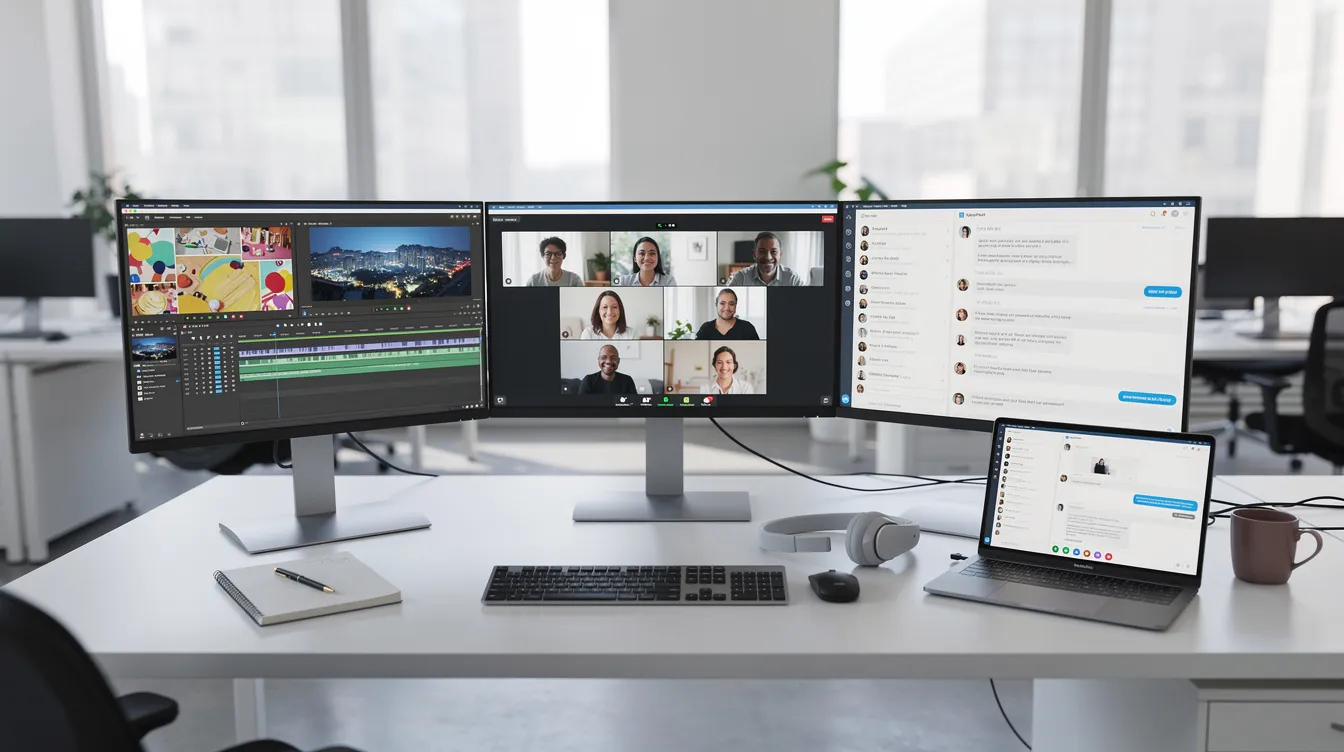
We didn’t just read feature pages - here are the criteria that actually matter in day-to-day use, and how we weighed each tool:
-
Recording quality - screen capture, mic and system audio, webcam overlay, resolution and frame rate.
-
Ease of use and speed - how fast you get from “I need to record something” to a finished, shareable video.
-
Pricing fairness - free-plan limits, per-user vs. per-account cost, and hidden caps on AI credits or media hours.
-
Editing and post-production - basic editing like trimming, plus broader editing capabilities such as filler-word removal, background music, multi-track control, and overall video editing flexibility.
-
AI features - we looked at advanced AI features including captions, summaries, voice tools, and automated polish, and weighed which ones save real time vs. which are marketing fluff.
-
Collaboration and analytics - comment threads, shared workspaces, viewer engagement tracking, CRM integration.
-
Compatibility - desktop apps, browser-based screen recording, mobile, and integrations with Slack, HubSpot, and more.
The 8 best Loom alternatives
1. Velo - best for AI-powered video creation
One-line summary: Velo is an AI-native video-messaging platform that turns raw recordings, files, URLs, or screen interactions into polished video messages, no camera required, with an editor built in for when you want manual control. See why teams pick Velo as their Loom alternative.
Full disclosure: this is our tool, so I’ll be specific about where it wins and where it doesn’t. Most recorders still make you record, then edit, then export, then upload. Velo collapses that. Unlike tools such as Boomshare, which automate video creation with AI-driven summaries and captions, Velo focuses on turning inputs into fully narrated walkthroughs. Its agentic screen recording uses a browser agent that can navigate your product UI, decide how to frame each step, and time the narration to match, generating a walkthrough from a URL with no mouse required. When your product changes, it can refresh that recording on its own. Pair that with AI voice cloning (VeloTwin) and your whole team can produce consistent, branded videos without anyone stepping in front of a camera. When someone does want to be on screen, they can read a script off Velo’s built-in teleprompter and record themselves. Velo builds the full production around that footage: deciding when to show your face, when to show the product, and cutting mistakes and dead air automatically. Because it can be grounded in your knowledge base and docs, it isn’t just a recorder - it explains.
Best for: product, GTM, and support teams producing demos, onboarding, and explainers at scale. If you regularly turn feature notes into demo scripts, Velo handles that pipeline end to end.
Key strengths:
-
AI voice cloning and an avatar that moves like the real person, for a consistent brand presence across creators
-
Browser agent that auto-generates walkthroughs from URLs and can refresh them when the product changes
-
Record yourself off a built-in teleprompter and let Velo build the edit around your footage
-
An AI editor you can drive by prompt or by hand, so post-production is fast without losing manual control
-
Knowledge-base grounding for context-aware content
-
Multilingual output - localize videos into multiple languages
-
Every video also becomes an editable written doc
Possible limitations:
-
Newer platform than established players; no CRM integration yet, and viewer analytics is still maturing
-
Needs Chrome plus the Velo Companion extension
-
Teams wanting deep, frame-by-frame timeline control will still prefer a traditional editor for the most precise cuts.
Pricing: Free ($0, 1,500 credits/mo - downloads watermarked); Pro ($49/mo, 3,000 credits); Ultra ($200/mo, 30,000 credits). Enterprise is custom pricing.
If you want full manual control over every cut and transition, see how Velo compares to Loom for a deeper breakdown.
2. Supademo - best for interactive product demos
One-line summary: An interactive demo platform for building guided, clickable walkthroughs where viewers explore your product themselves, rather than just watching a screencast.
Supademo isn’t passive screen recording - it’s product-led content. Viewers click through your UI step by step, and the platform tracks completion rates, drop-off points, and time per screen, giving you step-level analytics most video tools can’t match. Supademo publishes engagement data arguing interactive demos meaningfully outperform passive video (figures like a 7x conversion lift are its own claims - treat them as vendor data, not independent findings). It also includes AI voiceover and translation.
Best for: sales teams running self-serve demos, product marketers building interactive onboarding, and CS teams creating guided help content.
Key strengths:
-
Interactive click-through demos with branching logic and sandbox mode
-
Unlimited demos on paid plans
-
AI voiceover, captions, and translations
-
Step-level engagement analytics
-
Custom domain and branding
Possible limitations:
-
More demo builder than video editor - limited traditional editing
-
Chrome-extension dependency for capture
-
Pricing jumps from ~$38/mo per creator (Scale) to $350/mo for five creators (Growth), which can sting for mid-sized teams
Pricing: Free (5 demos); Scale $38/mo per creator; Growth $350/mo for 5 seats.
3. Tella - best for polished async video with minimal effort
One-line summary: A polished async video tool for creators and educators who want professional-looking output without touching a timeline.
Tella lets you switch layouts mid-recording - screen-only, camera-only, split view - without stopping, then auto-cuts and applies templates so the result looks post-produced when it wasn’t. It’s a strong pick for instructional videos, async updates, and educational content.
Best for: creators, educators, and small teams who value visual polish over analytics or interactivity.
Key strengths:
-
Multi-layout recording with mid-session switching
-
Auto-cut and auto-editing
-
Professional templates and transitions
-
Clean, distraction-free interface
Possible limitations:
-
No free plan - a 7-day trial only
-
Occasional recording bugs reported by users
-
Limited viewer analytics; no interactive-demo features
Pricing: trial-then-paid (no free tier).
4. Vidyard - best for sales teams and analytics
One-line summary: A sales-focused video platform built around CRM integration and engagement analytics.
Where most tools tell you “someone watched your video,” Vidyard tells you who watched, for how long, which parts they replayed - and ties it into your CRM. You can build personalized landing pages, embed video in outreach, and track engagement in Salesforce or HubSpot. For revenue teams that treat sales videos as pipeline tools, it’s purpose-built.
Best for: B2B sales teams, AEs, and SDRs who need engagement tracking tied to revenue workflows.
Key strengths:
-
Deep viewer analytics with individual viewer identification
-
Native CRM integration (Salesforce, HubSpot, Marketo)
-
Personalized video landing pages
-
Team-wide video library
-
Cloud hosting with instant sharing
Possible limitations:
-
Premium, per-seat pricing - the tiers with CRM analytics get expensive fast
-
Limited editing; you’ll need external tools for anything beyond basics
-
The free tier is restricted (5 videos/mo, 30-min cap)
-
Less suited to product demos or internal comms
Pricing: Free (limited); Starter ~$59/user/mo, Teams ~$99/user/mo for CRM features, while larger teams may need business plans for advanced sales features and CRM workflows

5. Screen Studio - best for Mac and cinematic polish
One-line summary: A Mac-native recorder that turns ordinary recordings into cinematic-looking product demos automatically.
Screen Studio applies auto-zoom, smooth cursor animation, and motion blur while you record - the kind of thing that would normally take hours in After Effects. A preset system keeps your team’s output consistent. For Mac power users who want recordings that look like marketing assets without the production work, it’s the standard.
Best for: Mac users - developers, designers, product marketers - making demos, changelogs, and tutorials.
Key strengths:
-
Automatic zoom, cursor smoothing, and motion blur
-
Presets for consistent output
-
Clean, Mac-native app
-
High-resolution local recording, no watermark
Possible limitations:
-
Mac-only - no Windows or Linux
-
No cloud hosting or instant link sharing built in
-
No team collaboration or shared workspaces
-
A recording-and-polish tool, not a full video platform
Pricing: subscription - $29/mo or $108/yr (~$9/mo annual).
6. Descript - best for deep, transcript-based editing
One-line summary: A transcript-based video editor that doubles as a screen recorder - edit your video by editing the text.
Delete a sentence from the transcript and the matching video disappears. Descript’s edit-by-transcript approach removes the need for timeline editing on most tasks. It auto-strips filler words, repairs audio (“Studio Sound”), and supports AI voice cloning (Overdub) so you can fix mistakes without re-recording. It also suits buyers who want deeper post-production than Loom offers without relying on multi track editing for every small change. For teams that need real editing power without learning Premiere, it’s the most capable option here.
Best for: content creators, podcast producers, and teams producing polished video who need advanced editing.
Key strengths:
-
Transcript-based editing - edit text, video follows
-
Automatic filler-word removal and silence trimming
-
AI voice cloning (Overdub)
-
Studio Sound audio repair
-
Multi-source capture (screen, windows, webcam, multiple audio inputs)
Possible limitations:
-
Steeper learning curve than “record and share” tools
-
Media-hour caps on all plans (transcription/export limits)
-
Primarily a desktop app
-
Less focused on team sharing or viewer analytics
Pricing: Free tier; Hobbyist $24/mo, Creator $35/mo, Business $65/mo (cheaper billed annually). Teams considering a more traditional timeline editor often also look at Camtasia, whose starter plan costs £34.80 per user per year.
7. ScreenPal - best budget option for educators
One-line summary: ScreenPal (formerly Screencast-O-Matic) is a budget-friendly recorder that punches above its price with AI features and a generous free tier.
It offers AI captions, transcripts, and summaries out of the box, plus interactive quizzes - handy for training and e-learning where you need to verify comprehension, not just deliver information. For teams and educators who want basic recording with some AI polish, it’s one of the best free Loom alternatives available.
Best for: budget-conscious teams, educators, and solo creators who want a reliable free recorder with room to grow.
Key strengths:
-
Generous free plan (watermarked)
-
AI captions, transcripts, and summaries
-
Interactive quizzes embedded in videos
-
Affordable paid tiers
-
Cross-platform with cloud hosting
Possible limitations:
-
Less polished interface than Tella or Screen Studio
-
Advanced editing requires higher tiers
-
Fewer CRM/PM integrations
-
Not built for sales-specific workflows
Pricing: free (watermarked); low-cost paid tiers.
8. OBS Studio - best free, open-source recorder
One-line summary: A free, open-source screen recorder and live-streaming tool with complete control over your capture setup.
OBS records anything on your screen at high quality for $0, with no watermarks, subscriptions, or recording limits, and it supports unlimited recording time. Its scene/source system handles complex layouts - multiple cameras, capture cards, browser sources, overlays - with extras like studio mode for advanced production control, and it streams via RTMP to Twitch, YouTube, or custom servers. If you need unlimited recording with maximum control, nothing else comes close.
Best for: technical users, streamers, and anyone who needs a no-compromise free recorder.
Key strengths:
-
Completely free and open source
-
Plugin ecosystem
-
Multi-source capture
-
Live streaming via RTMP
-
Local recording at any resolution/frame rate
-
Cross-platform (Windows, macOS, Linux)
Possible limitations:
-
Steep learning curve - not “click and record”
-
No built-in sharing, analytics, or cloud hosting
-
No AI features (no transcripts, editing, or voiceover)
-
Local files only - manual upload to share
-
Requires setup and ongoing maintenance
-
Cap is another open-source Loom alternative and screen recording tool, with 20,000 users as of November 2025.
Pricing: free forever.
Quick comparison of the best Loom alternatives
| Tool | Primary use case | Free tier | Starting paid price | Key differentiator |
|---|---|---|---|---|
| Velo | AI-powered video creation | Yes (1,500 credits/mo) | $49/mo (per account) | AI automation, no camera needed, with an editor for prompt or manual fixes |
| Supademo | Interactive product demos | 5 demos | ~$38/mo per creator | Clickable demos with step analytics |
| Tella | Polished async video | Trial only | Paid after 7-day trial | Multi-layout recording, auto-editing |
| Vidyard | Sales video + analytics | Limited | ~$59/user/mo | CRM integration, viewer ID |
| Screen Studio | Cinematic screen capture | No | $29/mo (or $108/yr) | Auto-zoom, motion blur, Mac-native |
| Descript | Transcript-based editing | ~1 hr/mo | $24/mo | Edit video by editing text |
| ScreenPal | Budget free screen recorder | Yes (watermark) | Low-cost tiers | AI captions, interactive quizzes |
| OBS Studio | Full-control recording | Yes (fully free) | Free forever | Free and open source, unlimited, plugins |
| Other tools worth a quick look: Screenity (free Chrome extension for unlimited recording); VEED (browser-based editor with screen recording, plus real-time editing with captions and overlays); Zight (Loom-style quick recording and annotation); ClickUp Clips (screen recordings integrated directly within the ClickUp project management platform); Clueso (AI script cleanup and voiceover); Guidde (auto-generated step-by-step guides); ScreenRec (unlimited, watermark-free recording); Cap (an open-source Loom alternative); and Camtasia (professional timeline editing - now subscription-only, from ~$179/year). |
How to choose the right Loom alternative
With this many options, the decision comes down to three questions.
1. How technical is your team? If you want to record and share with zero learning curve, Velo and Tella are built for that - Velo’s AI handles post-production automatically, with manual tools there if you ever want them, so there’s nothing you have to learn. Some teams just need simpler screen recorders for quick updates, while others need broader video editing capabilities or analytics. If you want granular control, Descript (transcript editing) and OBS Studio (unlimited customization) reward the investment. On Mac specifically, Screen Studio delivers cinematic polish automatically.
2. What’s the use case?
-
Product demos and onboarding: Velo (AI-generated from docs/URLs) or Supademo (interactive click-throughs)
-
Sales videos and prospecting: Vidyard (CRM analytics) or Velo (automated demo generation)
-
Training and instructional video: ScreenPal (quizzes, captions) or Descript (polished editing)
-
Internal async comms: Velo (instant sharing from raw input) or Tella (layout switching)
-
Marketing content: Descript (full editing) or Screen Studio (cinematic capture)
-
Technical recording and streaming: OBS Studio (control, zero cost)
3. What’s your budget and team size? Solo and budget: OBS Studio, ScreenPal’s free plan, or Screenity. Small teams (2–10): watch for per-user pricing that multiplies - Velo’s per-account model and ScreenPal’s low tiers hold up well here. Mid-size (10–50): weigh Velo for AI-scale production, Supademo for interactive demos, or Vidyard for sales analytics - at this size, per-seat vs. per-account pricing makes a real difference. If your priority is a free screen recorder, compare not just price but recording limits, editing capabilities, and whether the tool captures the entire screen or only selected areas. Always look past the sticker price to media-hour caps, AI-credit limits, and how many videos you can actually produce before hitting a wall.
Which Loom alternative is best for you?
-
Choose Velo if you want AI automation that turns recordings, URLs, or docs into polished walkthroughs, on camera or off, without needing to know how to edit.
-
Choose Supademo if you need interactive demos with step-level engagement tracking.
-
Choose Tella if you want polished async videos with professional layouts and minimal effort.
-
Choose Vidyard if your focus is sales analytics, CRM integration, and prospect-level tracking.
-
Choose Screen Studio if you’re on Mac and want cinematic recording quality automatically.
-
Choose Descript if you need serious editing power via transcript-based editing.
-
Choose ScreenPal if you want a budget recorder with AI captions and a generous free tier.
-
Choose OBS Studio if you need maximum control at zero cost and don’t mind the setup.

Final Thoughts
The best Loom alternative isn’t the one with the longest feature list - it’s the one that fits how your team actually works. Loom alternatives in 2026 have evolved well beyond basic screen recording: the strongest tools now handle AI-powered creation, interactive demos, automated editing, and deep analytics. The line between “screen recorder” and “video platform” has blurred, which is good news for teams that need to communicate visually without hiring a production crew.
If you’re still on Loom’s free plan and feeling the squeeze, start by naming your primary use case, then test one or two tools from this list. Most offer free versions or trials, so you can evaluate without commitment. The goal isn’t a perfect Loom clone - it’s the tool that makes your team’s video communication faster, more effective, and less painful to produce.
Try Velo for free or book a demo.
About the author
Ritu Parakh is Growth Lead at Velo, the AI video messaging platform that turns a screen recording, a deck, or a URL into a polished, narrated video. She works with screen recording and video-messaging tools daily, and tests the alternatives hands-on when putting these comparisons together. She writes about video for demos, onboarding, and enablement. Connect on LinkedIn.