8 Best Tella Alternatives in 2026 for Every Workflow
Quick answer: the best Tella alternatives in 2026
- Best for quick async messages: Loom (free Starter plan, Business from $15/user/month billed yearly)
- Best for polished Mac recordings: Screen Studio ($9/month billed yearly, macOS only)
- Best for editing through a transcript: Descript (free plan, Hobbyist $16/month billed yearly)
- Best for product videos you need to update: Velo (free plan, Pro $49/month)
- Best for full browser editing: VEED · Best for clickable demos: Supademo · Best open-source recorder: Cap · Best for Mac screenshots plus clips: CleanShot X
Tella is a strong screen-and-camera recorder. It gives you automatic zooms, layouts, transcript editing, hosting and analytics, and it now ships native Mac and Windows recorders plus a Chrome extension. So the reason to look for a Tella alternative in 2026 is rarely “it doesn’t run on my computer.” It’s that your video has a different job after you press stop.
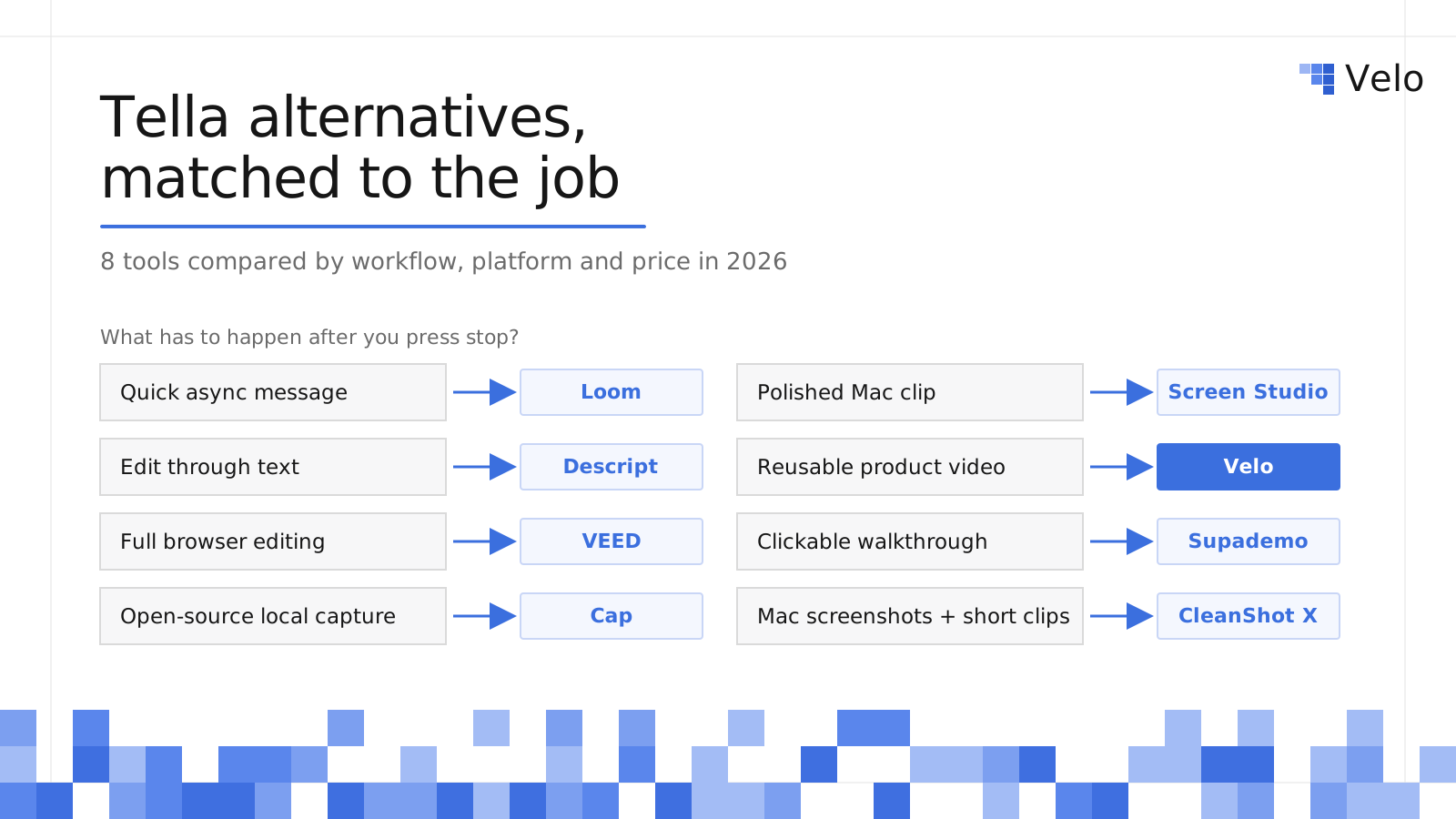
The best Tella alternative depends on that job. Loom is simpler for quick messages, Screen Studio gives Mac users more motion polish, Descript and VEED go deeper on editing, Cap is the low-cost open-source pick, and Supademo is better when viewers should click instead of watch. Velo is best for product, marketing and enablement teams who want a raw recording to become a narrated, on-brand product video they can update after every release, without re-recording it.
This guide compares eight Tella alternatives by workflow, platform, editing model and current price, with the same breakdown for every tool.
Disclosure: Velo publishes this guide and appears as one option. The comparison is based on each vendor’s public product and pricing pages, checked October 2, 2026, not a hands-on benchmark of every tool.
Tella alternatives at a glance
| Tool | Best for | Platform | Main tradeoff | Starting price |
|---|---|---|---|---|
| Loom | Quick async messages | Mac, Windows, Chrome, mobile | Less visual polish by default | Free; Business $15/user/mo yearly |
| Screen Studio | Motion-designed Mac recordings | macOS only | No Windows, light collaboration | $9/mo yearly or $29 monthly |
| Descript | Editing video through text | Mac, Windows | More editor than quick recorder | Free; Hobbyist $16/mo yearly |
| Velo | Narrated product videos you update | Web app | More workflow than a casual recorder | Free; Pro $49/mo |
| VEED | Full browser-based editing | Browser | Heavier than a focused recorder | Free; paid varies by seats and AI usage |
| Supademo | Clickable product walkthroughs | Browser | Not a linear video tool first | Free; Scale $38/creator/mo |
| Cap | Open-source, local-first recording | Mac, Windows, Linux | Free tier is personal use only | Free; license $29/yr |
| CleanShot X | Mac screenshots plus short clips | macOS only | No camera layouts or analytics | $35 one-time |
| Tella (for reference) | Polished screen-and-camera videos | Mac, Windows, Chrome | No free plan listed | Pro $13/user/mo yearly |
Prices change often, and AI credits, seats and billing cycles affect the real total. Confirm the live checkout price before you buy.
Should you replace Tella?
Stay with Tella if you want polished screen-and-camera videos, automatic zoom, quick cleanup, hosted sharing and analytics in one product. On Tella’s pricing page, Pro is $13 per user per month billed annually and includes 4K export, native Mac and Windows recorders, a Chrome extension, transcript editing, AI zoom, filler-word and silence removal, and transcription in 106 languages. Premium ($19 per user per month billed annually) adds 60 fps export, a custom domain, white labeling and full analytics history. Tella’s pricing page does not list a free plan.
Consider a Tella competitor when one of these matters more:
- A permanent free tier for short async messages
- Mac-native motion design and local exports
- A full browser timeline with captions, effects and stock media
- Transcript-first editing for long recordings, interviews or podcasts
- Open-source or local-first recording
- Clickable, interactive product tours
- Product videos that need scripts, narration, translation, branding and updates after every release
These tools are not interchangeable. The useful question isn’t “which tool has more features?” It’s “what must happen after I press stop?”
How we compared these Tella alternatives
We judged every tool on five things that decide whether a switch is worth it:
- The job after recording: message, polished clip, edited video, interactive demo, or maintained product video.
- Platform: Mac, Windows, Linux, browser, or mobile.
- Editing model: automatic polish, timeline, transcript, or plain-language instructions.
- Distribution: hosting, links, analytics, embeds and team libraries.
- Price: the lowest paid tier from each vendor’s own pricing page, plus how it scales (per user, per creator, per account, or one-time).
Each tool below follows the same template: what it is, who it’s best for, pros, limitations, pricing, and when to pick it over Tella.
The 8 best Tella alternatives in 2026
1. Loom
Loom is the go-to Tella alternative for fast async video messages that replace meetings and long written explanations.
Best for: Teams that record lots of quick internal and customer updates and want everyone to adopt video with zero training.
Pros:
- Record screen and camera, get a link instantly, and share it in Slack, Jira, Notion, email or support tools
- Comments, emoji reactions and transcripts in 50+ languages make it a communication tool, not just a recorder
- A permanent free Starter plan makes broad rollout easy
Limitations / trade-offs:
- Less visual polish than Tella by default; no automatic designed layouts on the free plan
- Starter caps you at 25 videos per person and 5-minute recordings
- Priced per user, so costs grow with every recorder on the team
Pricing: Starter is free. Business is $18 per user per month ($15 billed yearly) and removes video and length limits. Business + AI is $24 per user per month ($20 billed yearly) and adds AI editing and video-to-text automation, per Loom’s pricing page. Our Loom pricing breakdown runs the team-cost math.
Pick Loom over Tella when: the recording is a message, not a produced asset. If you’re weighing Loom itself, see our best Loom alternatives guide.
2. Screen Studio
Screen Studio is a focused macOS recorder known for automatic zooms, smooth cursor movement and beautiful local exports.
Best for: Mac-based founders, designers and marketers making polished product clips and social videos.
Pros:
- Automatic zoom, smooth cursor, click effects and styled backgrounds with almost no editing
- Exports MP4 up to 4K at 60 fps, plus GIFs, in wide, square or vertical formats
- Transcription, noise reduction, camera layouts and iPhone or iPad device frames
Limitations / trade-offs:
- macOS only (Ventura 13.1 or later recommended), so Windows teammates are left out
- Lighter on team features, comments and analytics than Tella
- Built for one great clip, not a shared, maintained video library
Pricing: $29 per month on monthly billing, or $9 per month billed yearly, per Screen Studio. Students and educators get 40% off.
Pick Screen Studio over Tella when: everyone records on a Mac and motion polish matters more than hosting and collaboration. Compare more options in our best screen recorders for Mac roundup.
3. Descript
Descript treats video like a document: delete words from the transcript and the matching footage disappears.
Best for: Founder videos, interviews, podcasts, webinars and long explainers where the spoken content matters most.
Pros:
- Text-based editing that writers and podcast editors pick up fast
- Studio Sound, filler-word removal, captions and an AI editing assistant (Underlord)
- Screen and remote recording, clip creation for repurposing, and stock media on higher plans
Limitations / trade-offs:
- More editor than quick recorder; heavier than Tella for a two-minute screen video
- Usage is metered by media hours and AI credits on top of the plan price
- Free exports are 720p with a watermark
Pricing: Free includes 60 media minutes a month. Hobbyist is $16 per month billed yearly ($24 monthly) with 10 media hours and 400 AI credits. Creator is $24 per month billed yearly ($35 monthly) with 4K export and 30 media hours, per Descript pricing. See our Descript alternatives guide for more editors.
Pick Descript over Tella when: you edit long, talk-heavy recordings and want to cut by text instead of a timeline.
4. Velo
Velo is an AI video platform for work that turns a raw recording, a live product flow, a doc or a prompt into a narrated, on-brand product video you can keep current.
Best for: Product, marketing, sales enablement and support teams whose product demos, onboarding, how-to and training videos must stay accurate across releases and languages.
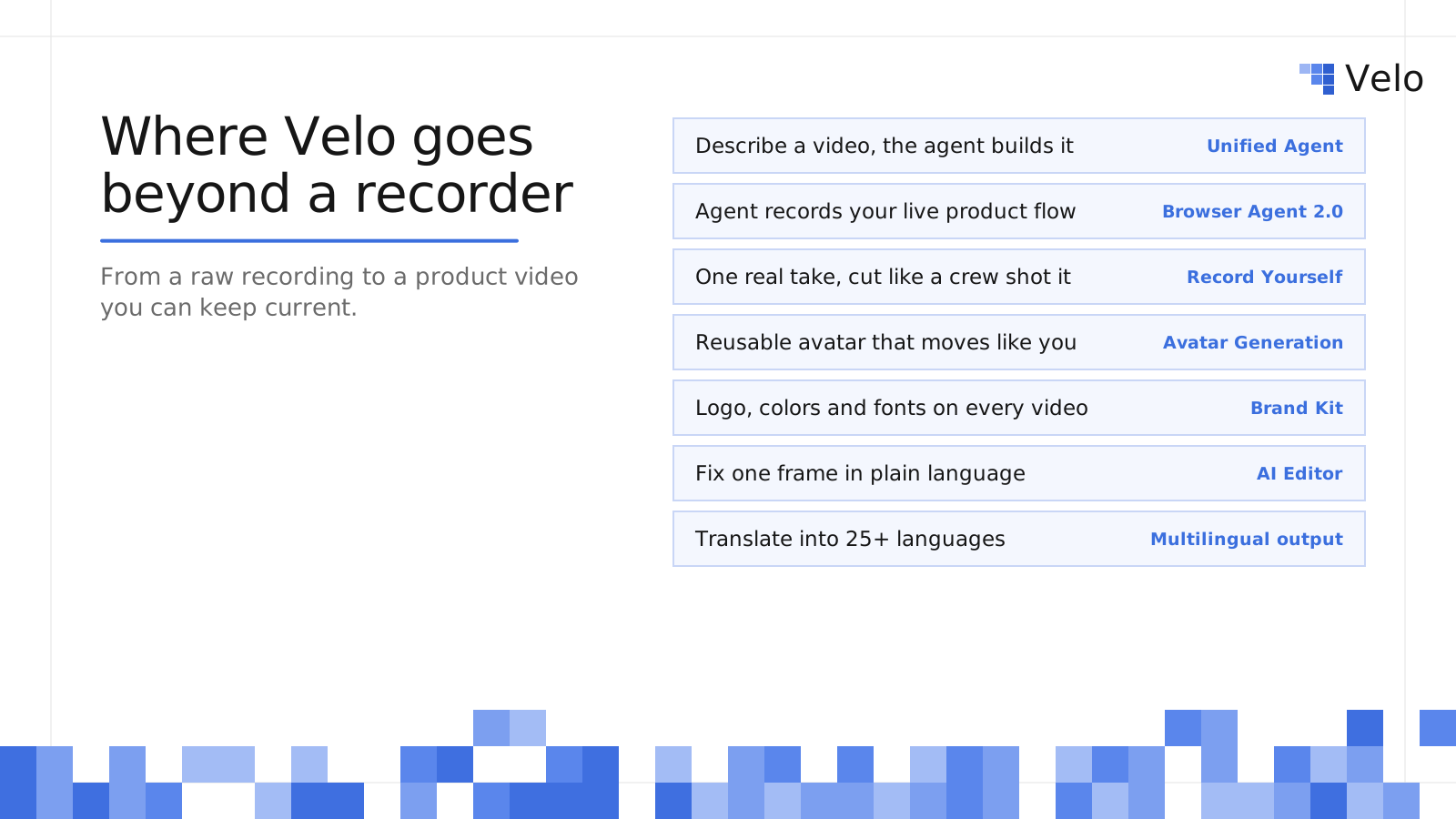
Where Velo goes beyond a screen recorder: Unified Agent, Browser Agent 2.0, Record Yourself, Avatar Generation, Brand Kit, AI Editor and multilingual output
Pros:
- Start any way you like. Upload a recording from Tella, Loom or QuickTime and Velo polishes the screen recording with an AI-written script, smart zooms, smooth cursor and no dead air. Or describe the video you want and the Unified Agent asks a few clarifying questions and builds it, with all of Velo’s creation flows behind one chat.
- Let an agent record for you. Browser Agent 2.0 drives your live product from a plain description, verifies each step, cuts retries and waiting, and can refresh the recording when the UI changes. It hands control back to you for logins and sensitive steps.
- Keep a real human on camera. Record Yourself turns one teleprompter take into a multi-shot video that cuts between you and the product, with flubs removed and your real face and voice kept. If you’d rather not record every time, Avatar Generation builds a reusable avatar from one reference clip that moves like you and regenerates only the line you edit.
- Stay on brand automatically. Brand Kit pulls your logo, colors, fonts and tone from your website and applies them to every new video.
- Update instead of re-record. The AI Editor puts scenes, voiceover, images and music on separate layers. Describe a change in plain language or pin a comment to one frame, and only that part updates, with every edit saved as its own version. Translate the result into 25+ languages in one click.
Limitations / trade-offs:
- More workflow than you need for a quick, one-off screen-and-camera clip; Tella or Loom is faster there
- Usage is metered by credits, and heavier videos (translation, avatars, motion graphics) use more
- Not a frame-by-frame cinematic editor, and avatars are an option on top of real product video, not a talking-head studio
Pricing: Free is $0 with 1,500 credits a month (roughly 2 to 5 minutes of video). Pro is $49 per month ($41 per month billed yearly) with 3,000 credits (roughly 5 to 10 minutes). Ultra is $200 per month ($167 per month billed yearly) with 30,000 credits (roughly 50 to 100 minutes). Enterprise is custom, per Velo pricing.
Pick Velo over Tella when: the same product story gets reused across teams or channels and has to be narrated, branded, translated and updated after releases. In a published case study, import.io cut video turnaround by 60% and doubled content output.
5. VEED
VEED combines screen and webcam recording with a full browser-based video editor and a large set of AI tools.
Best for: Marketing and social teams that make presenter videos, ads and social clips as well as screen recordings.
Pros:
- Full browser timeline with captions, subtitles, templates, stock media and effects
- Background removal, brand tools, translation, dubbing, avatars and generative video features
- Nothing to install, so it works on any computer with a browser
Limitations / trade-offs:
- More complex than a focused recorder like Tella; more decisions per video
- Paid pricing depends on billing cycle, seats and AI-credit configuration, so the real cost takes some working out
- Built for producing many kinds of video, not for keeping product demos current
Pricing: VEED has a free plan. Paid plans vary by billing cycle, seats and AI usage, so check the current total on VEED’s pricing page rather than relying on an older fixed figure.
Pick VEED over Tella when: you need a real editing timeline, captions and effects in the browser, not just clean layouts and zooms.
6. Supademo
Supademo builds interactive, clickable product demos that viewers explore at their own pace, with video recording as a secondary feature.
Best for: Sales, product marketing and customer education teams that want website or help-center demos people click through.
Pros:
- Guided interactive demos with branching, variables and AI personalization
- Embed anywhere and share as a link, embed, video or PDF; demo views are unlimited
- Product-tour analytics, plus HTML editing, sandbox demos and versioning on higher tiers
Limitations / trade-offs:
- Not primarily a linear video tool, so it’s a weak fit for presenter-led explanations
- Priced per creator, and advanced features sit on Business ($199/month) and Growth ($350/month)
- An interactive tour is a different asset from a narrated video, so many teams end up needing both
Pricing: Free includes one creator, five guided interactive demos and 50 video recordings. Scale is $38 per creator per month. Business is $199 per month and Growth is $350 per month, per Supademo pricing. Our Velo vs Supademo comparison explains when a clickable demo beats a narrated one.
Pick Supademo over Tella when: viewers should click through the product instead of watching someone else do it.
7. Cap
Cap is an open-source screen recorder for macOS, Windows and Linux with local recording, a built-in editor and optional cloud sharing.
Best for: Developers and privacy-minded teams that want open-source, local-first recording at a low price.
Pros:
- Open source, with desktop apps for Mac, Windows and Linux that work fully offline
- Local recording and editing with 4K and 60 fps export
- Cap Pro adds AI titles, summaries, chapters and transcripts, custom domains, password-protected shares and team workspaces
Limitations / trade-offs:
- The free tier is for personal use only; commercial use needs a paid license
- Fewer automatic design features than Tella out of the box
- Free shareable links are capped at 5 minutes
Pricing: Free for personal use. The commercial Desktop License is $29 per year (or $58 one-time). Cap Pro is $12 per user per month, or $8.16 per month billed annually, per Cap pricing.
Pick Cap over Tella when: open source, Linux support or a low-cost commercial desktop license matters more than built-in polish.
8. CleanShot X
CleanShot X is a Mac app that combines screenshots, scrolling capture, annotations, screen recording and light video editing.
Best for: Mac users who capture far more screenshots and short clips than presenter-led videos.
Pros:
- Screenshots, scrolling capture, annotation and recording in one app
- Video editor with smart zooms for short product clips
- One-time purchase option instead of another subscription
Limitations / trade-offs:
- macOS only (macOS 13 or newer)
- No camera-forward layouts, transcript editing, playlists or video analytics like Tella
- Basic includes only 1 GB of cloud storage and one year of updates
Pricing: CleanShot Basic is $35 one-time with one year of updates; renewals are optional at $19 per year. CleanShot Pro is $10 per user per month billed annually and adds unlimited cloud, custom domains, team management and SSO, per CleanShot pricing.
Pick CleanShot X over Tella when: screenshots matter as much as video and you only need short Mac clips.
Head-to-head: quick answers
Tella vs Loom: Choose Loom for fast internal communication, support replies and meeting replacement, since its free plan and comments make it easy to roll out to everyone. Choose Tella for customer-facing screen-and-camera videos that need automatic layouts, zooms and a more designed result.
Tella vs Screen Studio: Choose Screen Studio if you work only on a Mac and want the most polished local recording with automatic motion design. Choose Tella if you need Windows or browser recording, transcript editing, team collaboration and hosted analytics.
Tella vs Velo: Choose Tella for quick, personal screen-and-camera clips. Choose Velo when a recording has to become a narrated, branded product demo, onboarding or training video that you’ll translate and update after every release without re-recording it.
Tella vs Descript: Choose Descript for long, talk-heavy recordings you want to edit like a document. Choose Tella for short screen-and-camera videos with layouts, zooms and sharing built in.
How to choose the right Tella competitor
Start from the deliverable, not the feature list.
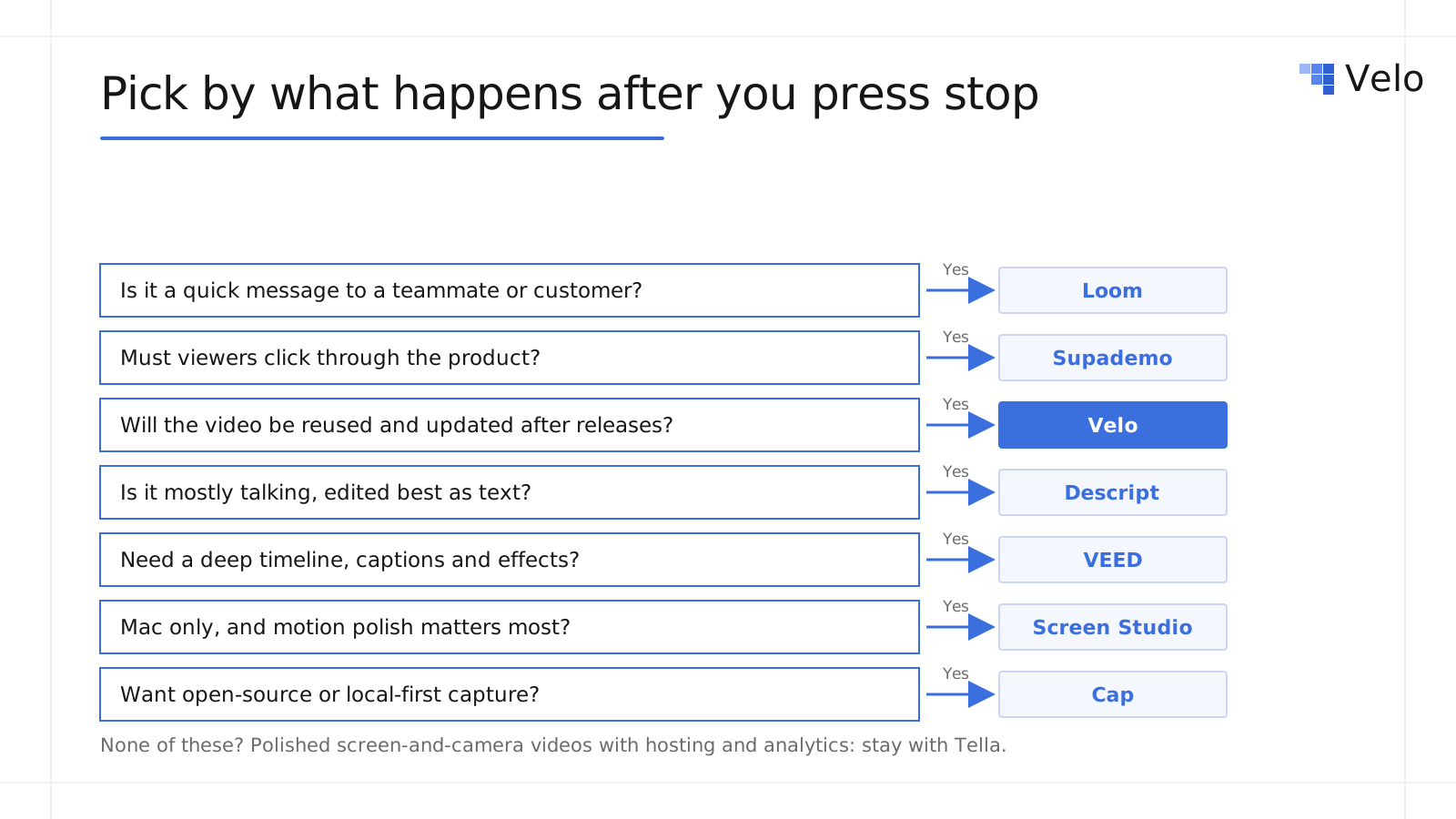
Decision guide for choosing a Tella alternative based on what happens after you press stop
| Your final deliverable | Start with |
|---|---|
| A quick message for a colleague or customer | Loom |
| A polished Mac product clip | Screen Studio |
| A long recording edited through text | Descript |
| A narrated product video you’ll update and translate | Velo |
| A browser-edited marketing or social video | VEED |
| A clickable product walkthrough | Supademo |
| A local or open-source recording workflow | Cap |
| Screenshots plus occasional Mac video | CleanShot X |
Before switching, make one representative video in your two strongest candidates. Test everything that happens after recording: corrections, branding, captions, export, sharing, analytics and the next update. A tool that saves 10 minutes at capture can still cost hours later if every product change means starting over. That “next update” test is where Loom, Tella and Screen Studio clips usually need a full re-record, and where tools built on editable scripts and scenes, like Velo, save the most time. Our Camtasia alternatives guide covers the heavier desktop editors if you need one.
Choose the workflow before the recorder
Tella is still a capable choice for polished screen-and-camera video on Mac, Windows and Chrome. Switch only when another workflow matters more: Loom for communication, Screen Studio for Mac motion polish, Descript or VEED for deeper editing, Cap for open-source capture, CleanShot X for screenshots, Supademo for interaction, or Velo when your recordings need to become product videos you can keep current.
Try Velo for free or book a demo to turn your next screen recording into a narrated product demo.